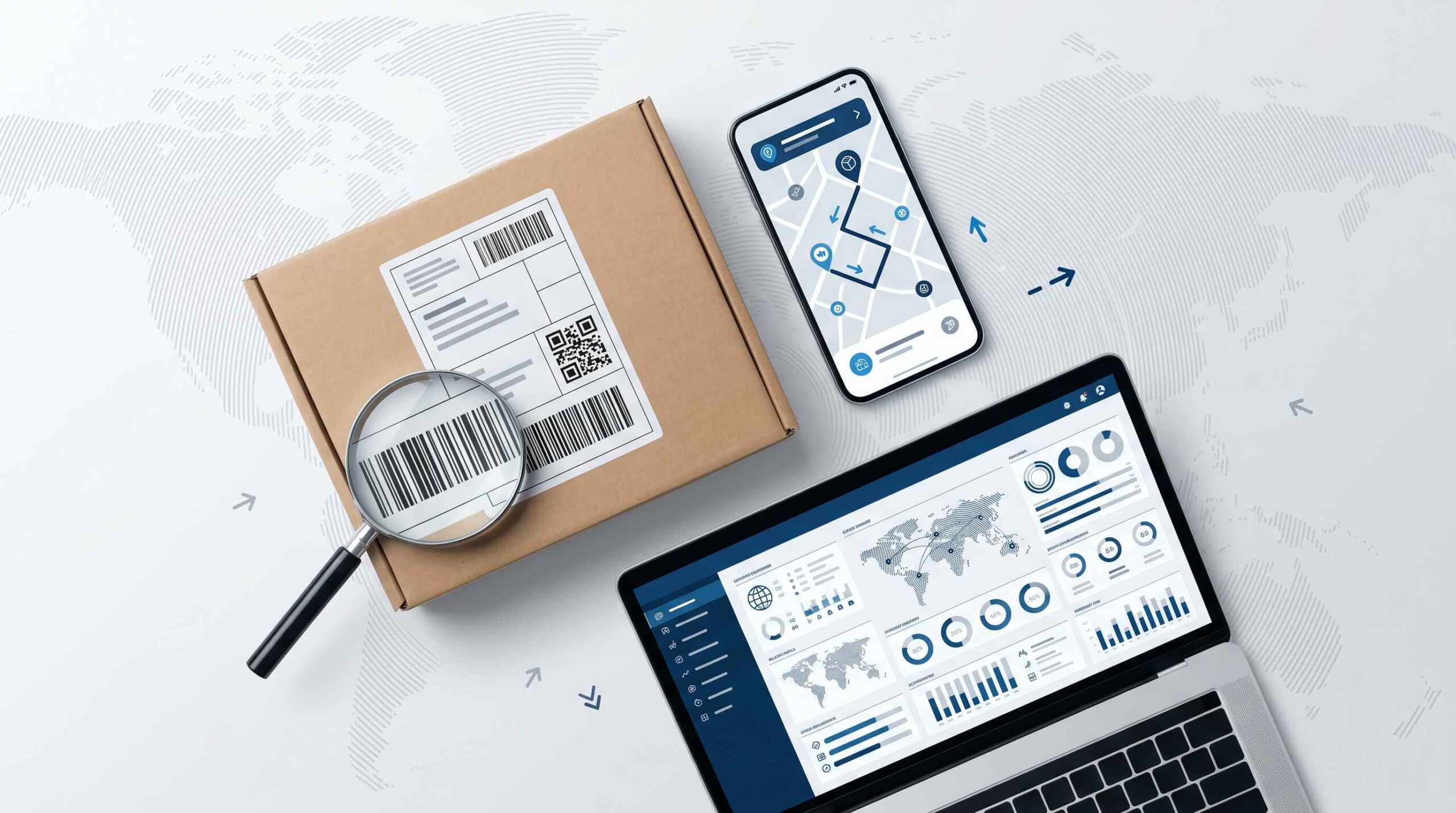
A tracking number is a unique code assigned to your parcel at the time of booking that lets you follow its exact journey from the sender’s hands to your delivery address in real time. Whether you are waiting for an India Post Speed Post, a DHL international package, a USPS shipment from the USA, or a courier from any carrier worldwide, your tracking number is the single key that unlocks the complete delivery history of your parcel. This guide covers everything you need to know about tracking numbers in 2026, including all formats, where to find yours, how to read it, and what to do when it stops working.
What Is a Tracking Number?
A tracking number is a unique alphanumeric identifier generated by a shipping carrier at the moment a parcel is booked for delivery. No two active shipments share the same tracking number. It is the digital fingerprint of your parcel inside the carrier’s logistics system.
Every time your package passes through a post office, sorting center, airport hub, or delivery vehicle, a scanner reads the barcode on the shipping label and records the time, location, and status against your tracking number. You can access this entire history at any moment by entering the number on the carrier’s tracking page.
It goes by different names depending on the carrier and country. You may see it called a tracking code, tracking ID, shipment number, consignment number, article number, AWB number, or waybill number. All of these refer to the same thing.
Tracking Number Formats by Carrier
Different carriers use completely different formats. Knowing yours helps you enter it correctly and choose the right tracking portal.
| Carrier | Format | Example | Length |
|---|---|---|---|
| India Post (domestic) | 2 letters plus 8 digits plus IN | EE123456789IN | 13 characters |
| India Post Speed Post | CP or EM prefix plus digits | CP123456789IN | 13 characters |
| USPS (USA) | All digits starting with 9 | 9400 1000 0000 0000 0000 00 | 20 to 22 digits |
| DHL Express | 10 digits or JD prefix | 1234567890 | 10 to 11 digits |
| FedEx | 12 digits | 123456789012 | 12 digits |
| UPS | Starts with 1Z | 1Z999AA10123456784 | 18 characters |
| China Post (AliExpress) | 2 letters plus digits plus CN | LY123456789CN | 13 characters |
| Royal Mail (UK) | Letters plus digits plus GB | AB123456789GB | 13 characters |
| Delhivery (India) | 16 digits | 1234567890123456 | 16 digits |
| DTDC (India) | Letter plus digits | Z12345678 | 9 characters |
| Blue Dart (India) | 11 digits | 12345678901 | 11 digits |
Understanding India Post Tracking Number Format
India Post tracking numbers follow the Universal Postal Union S10 standard. Every 13-character India Post tracking number has three parts:
First 2 characters = Service code letter indicating type of mail Next 8 digits = Unique parcel identifier Last 2 characters = Country code, always IN for India
Common India Post service code prefixes:
| Prefix | Service Type |
|---|---|
| EE or ED | Speed Post domestic |
| CP | Speed Post registered |
| EM | EMS Speed Post international |
| RX or RA | Registered Post |
| CX | Express Parcel Post |
| EU | e-Commerce parcel |
| LY or LX | Economy mail international |
Where to Find Your Tracking Number
Your tracking number appears in different places depending on whether you sent the parcel or are receiving it.
If You Are the Sender
Your tracking number is printed on the booking receipt given to you at the post office or courier counter at the time of dispatch. It also appears on the shipping label attached to the parcel itself, printed directly below the barcode.
For India Post, the receipt given at any post office counter shows the 13-digit article number at the top of the receipt slip. This is your tracking number.
If You Are the Recipient
The sender must share the tracking number with you. For online shopping orders, the seller usually sends it by email or SMS after dispatching your order. Look for words like Tracking Number, Tracking ID, Consignment Number, Shipment ID, or Article Number.
Log into your account on the shopping platform, go to My Orders, find your order, and look for the tracking information. Most platforms like Amazon, Flipkart, Myntra, and others display the tracking number clearly once the item has been shipped.
If you cannot find it anywhere, contact the sender directly and ask them to share it from their booking receipt.
How to Track Any Parcel Using Your Tracking Number
Once you have your tracking number, you have multiple methods available:
Track India Post Shipments
Official website: Visit indiapost.gov.in, enter your 13-digit tracking number, and click Track.
SMS tracking: Send an SMS in the format POST TRACK followed by your 13-digit number to 166 or 51969 from any Indian mobile number. No internet connection required. Available 24 hours a day, 7 days a week for articles booked within 60 days.
Postinfo mobile app: Download the free India Post Postinfo app on Android or iOS. Enter your tracking number and get the full delivery history.
This website: Enter your India Post tracking number in the tracking tool on indiaposttrackings.com for instant status.
Track International and Other Courier Shipments
For DHL, FedEx, UPS, USPS, China Post, and all other international carriers, visit their respective official tracking portals and enter the number exactly as provided.
Universal tracking platforms support thousands of carriers and are especially useful when you are unsure which carrier is handling your parcel or when tracking an international shipment that passes through multiple postal systems:
| Platform | Carriers Supported |
|---|---|
| 17track.net | 2,400 plus carriers worldwide |
| ship24.com | 1,200 plus carriers |
| aftership.com | 900 plus carriers |
| parcelsapp.com | 800 plus carriers |
| postal.ninja | 920 plus carriers |
Tracking Number vs Order Number: Know the Difference
This is the single most common mistake people make when trying to track a parcel.
Order number = Assigned by the seller or online store. Exists inside the store’s database. Used for returns, refunds, and customer support queries about your purchase.
Tracking number = Assigned by the shipping carrier. Exists inside the logistics system. Used to check the physical location and delivery status of the parcel.
You cannot use an order number to track a parcel. Only the tracking number provided in your shipping confirmation or on your post office receipt will work in any tracking system.
All Tracking Status Messages Explained
As your parcel moves through the delivery network, you will see different status messages at each checkpoint. Here is what every common status means:
| Status | What It Means |
|---|---|
| Item Booked or Label Created | Booking registered, carrier not yet physically received parcel |
| Accepted or Item Received | Carrier has scanned and accepted the parcel |
| Bag Opened or In Transit | Parcel moving between sorting centers or post offices |
| Dispatched or Out of Bag | Sent from one hub toward the next destination |
| Arrived at Delivery Office | Parcel reached the post office nearest to delivery address |
| Out for Delivery | Delivery agent is carrying your parcel to your address today |
| Delivered | Successfully handed to recipient |
| Delivery Attempted | Carrier tried to deliver but recipient was unavailable |
| Item Held at Post Office | Parcel waiting for you to collect at local post office |
| Returned to Sender | Being sent back to origin, delivery not completed |
| Customs Clearance | Held at customs for inspection, common for international parcels |
| Undeliverable | Cannot be delivered due to address or other issue |
What Happens Between Status Updates?
Tracking does not update continuously. Updates only appear when the parcel is physically scanned at a checkpoint. Between scans, your parcel is moving but the status stays the same. This is completely normal.
For India Post domestic shipments, scanning happens at the booking office, sorting hub, transit post office, and delivery office. For international shipments, there is often a gap of several days when the parcel is on an international flight or in customs.
India Post Tracking Number: Complete Service Guide
Since this website specializes in India Post tracking, here is a detailed breakdown of every India Post service and its corresponding tracking format:
Speed Post (Domestic)
Speed Post is India Post’s premium express delivery service. Tracking numbers start with EE, ED, or CP followed by 8 digits and IN. Speed Post domestic deliveries are tracked at every post office they pass through and typically update within 2 to 4 hours of each scan.
Delivery time: 1 to 4 business days depending on distance. Metro to metro routes are typically 1 to 2 days.
EMS Speed Post (International)
For international shipments, EMS tracking numbers start with EM followed by 8 digits and IN. These parcels are tracked inside India by India Post and then handed to the postal service of the destination country.
Once the parcel leaves India, tracking updates depend on the destination country’s postal system. Some countries scan frequently while others have limited checkpoints.
Registered Post
Registered Post tracking numbers start with RA or RX. This is India Post’s standard tracked letter and parcel service. It is slower than Speed Post but includes proof of delivery.
Express Parcel Post
Express Parcel tracking numbers start with CX. This service is designed for e-commerce and commercial parcel delivery with a focus on faster delivery to pin codes across India.
Common Tracking Problems and Exact Fixes
Tracking Shows No Results After Booking
New bookings take 6 to 24 hours to appear in the India Post tracking system. After booking at the post office, the parcel needs to be physically transported to the nearest sorting center and scanned before data appears online. Wait at least 12 hours before checking.
Tracking Stuck at Same Status for Days
Domestic India Post parcels sometimes show no updates for 2 to 3 days when moving between distant sorting hubs. This is normal for routes between different postal circles. If no update appears after 5 working days on a domestic parcel, contact the booking post office with your receipt.
For international India Post parcels, gaps of 7 to 14 days are common when the parcel is in transit between countries or in customs at the destination. Wait the full period before raising a concern.
Tracking Number Shows as Invalid
Check that you entered all 13 characters correctly. Common mistakes include confusing the letter O with the digit 0, or the letter I with the digit 1. Also ensure you are entering the complete number including the IN suffix for India Post numbers.
If confirmed correct and still showing invalid after 48 hours, visit the booking post office with your original receipt.
Status Shows Delivered But Parcel Not Received
Check with neighbors, building security, or family members at your address. Delivery agents sometimes leave parcels with neighbors when the primary recipient is unavailable.
If still not found, immediately visit your nearest post office with your tracking number and original receipt. Request the delivery confirmation details including the time, delivery agent name, and any proof of delivery such as a signature record.
Tracking Not Working for International Parcels
For India Post EMS international shipments, tracking may stop updating once the parcel leaves India. This happens because tracking continuation depends on the destination country’s postal system. Countries like the USA, UK, Germany, and Australia have strong tracking systems. Countries in some parts of Africa and Southeast Asia have limited tracking infrastructure.
You can track the parcel in the destination country by entering the same EE or EM tracking number on the destination country’s postal website or on a universal tracking platform.
How Long Does a Tracking Number Stay Valid?
Tracking records do not stay active forever. Here is how long each major carrier keeps records available:
| Carrier | Tracking Data Availability |
|---|---|
| India Post | 60 days from booking date |
| USPS | 120 days after last scan |
| FedEx | 90 days after delivery |
| UPS | 90 days after delivery |
| DHL | 90 days after delivery |
| China Post (AliExpress) | 60 to 90 days |
Save a screenshot of the delivered confirmation screen before the tracking period expires, especially for high-value shipments that may need proof of delivery later.
GEO Tracking: How India Post Handles Domestic and International Routes
India Post divides the country into postal circles. Understanding this helps you estimate delivery times and understand why tracking updates vary by route.
There are 23 postal circles in India including major ones like Delhi, Maharashtra, Tamil Nadu, Karnataka, West Bengal, Gujarat, Uttar Pradesh, and Rajasthan.
When a Speed Post letter travels within the same postal circle, it is typically delivered in 1 to 2 business days. When it crosses postal circles, it passes through a national sorting hub in either Delhi, Mumbai, Chennai, or Kolkata, adding one to two days to the journey.
For international India Post EMS shipments, all parcels pass through one of four international exchange post offices in Delhi, Mumbai, Chennai, or Kolkata before exiting India. This is where customs clearance and outbound scanning happens.
Tips for Faster and More Reliable Tracking
These simple practices will improve your tracking experience significantly:
Save your tracking number immediately. Do not rely on the post office receipt lasting. Photograph it or save it to your phone notes right away.
Use SMS tracking for India Post. Sending POST TRACK to 166 is faster than the website and works without internet, which is especially useful in areas with poor connectivity.
Track on the official carrier website first. Third-party tools are useful but the carrier’s own portal always has the most current data.
Allow appropriate time before checking. New bookings need 12 to 24 hours. Long-distance domestic parcels may have 2 to 3 day gaps between scans. International parcels may have gaps of 7 to 14 days in customs.
Contact the booking post office for domestic issues. For India Post, the booking office can raise a concern internally and is faster than calling the national helpline for most problems.
India Post Helpline and Contact Details
If tracking is not resolving your issue, contact India Post directly:
| Contact Method | Details |
|---|---|
| Toll-Free Helpline | 1800-266-6868 (Monday to Saturday, 9 AM to 6 PM) |
| Alternate Helpline | 1800-11-2011 |
| SMS Tracking | POST TRACK [number] to 166 or 51969 |
| Official Website | indiapost.gov.in |
| Mobile App | Postinfo (Android and iOS) |
| Complaint Portal | ccc.cept.gov.in |
For international India Post complaints, the postal circle head office in your state can be contacted directly. Complaints filed at the booking post office are usually faster to resolve than national helpline calls for domestic shipments.
Frequently Asked Questions About Tracking Numbers
What is a tracking number?
A tracking number is a unique code assigned to your parcel at the time of booking that identifies it inside the carrier’s system. You use it to check the real-time location and delivery status of your shipment online or via SMS.
How many digits is an India Post tracking number?
India Post tracking numbers are always 13 characters long. They start with 2 letters indicating the service type, followed by 8 digits, and end with IN as the country code.
Where can I find my India Post tracking number?
Your 13-character article number is printed on the booking receipt given to you at the post office counter. For online orders, it appears in the shipping confirmation email from the seller.
Why is my tracking number showing no results?
New bookings take 6 to 24 hours to appear in the tracking system. The parcel must be physically scanned at the sorting center before data appears. Wait 24 hours and check again.
What is the difference between a tracking number and an order number?
A tracking number is assigned by the shipping carrier and tracks the physical parcel. An order number is assigned by the seller and identifies your purchase. Only the tracking number works in a courier tracking system.
Can I track India Post by SMS?
Yes. Send POST TRACK followed by your 13-digit tracking number to 166 or 51969 from any Indian mobile number. This works without internet and is available 24 hours a day.
Why did my India Post tracking stop updating?
Long gaps between scans are normal. Domestic parcels may show no update for 2 to 3 days between sorting hubs. International parcels may show no update for 7 to 14 days in customs. Wait the full period before raising a complaint.
How long does India Post keep tracking data?
India Post tracking data is available for 60 days from the booking date. After this period, the record is no longer accessible online.
Read Also: The Techno Tricks: Complete Guide to Social Media Growth, APK, and Tech Tips in 2026
tracking number: current 2026 guidance
For the most reliable result, compare the latest scan with the official India Post Track and Trace service. Tracking is event-based: updates appear after acceptance, sorting, dispatch and delivery scans rather than showing continuous GPS movement.
- Verify letters and digits on the booking receipt.
- Allow a reasonable interval between processing scans.
- Keep the receipt until the article is delivered.
Last verified: 9 September 2026. Confirm live tracking, prices and service availability on the official India Post website.