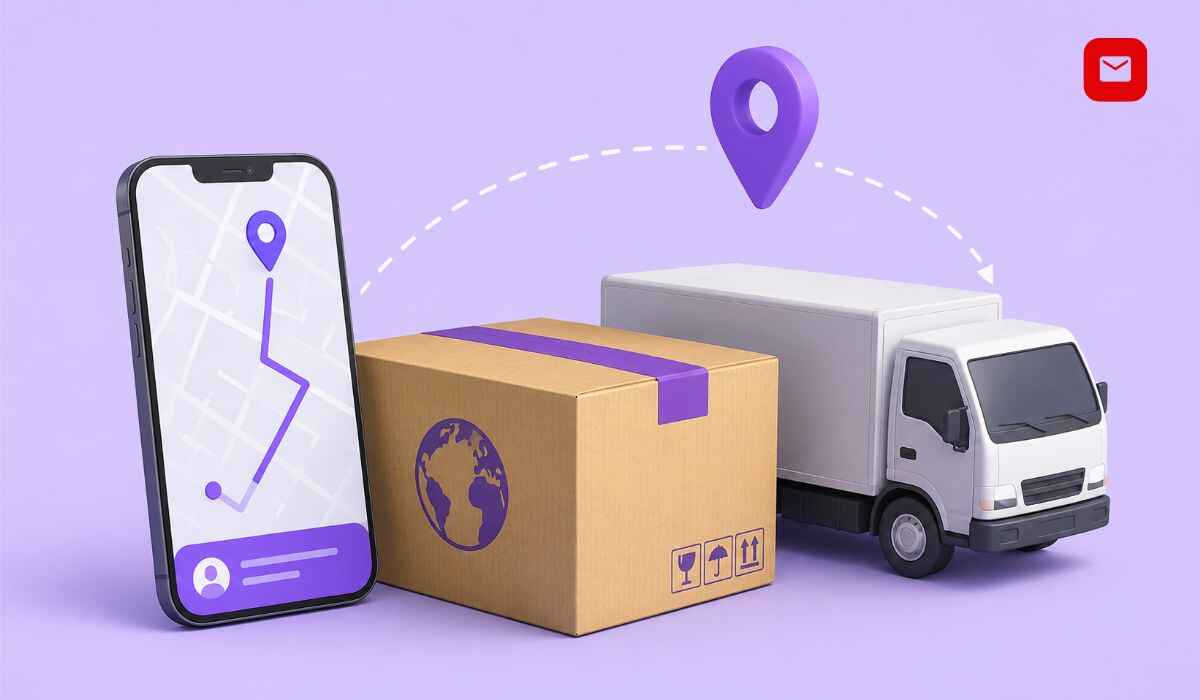
If you bought something online and want to know exactly where your package is right now, AfterShip tracking gives you a real-time answer without logging into multiple courier websites. Whether your order was shipped by FedEx, UPS, DHL, India Post, Blue Dart, or any other carrier, AfterShip lets you track it in one place within seconds.
This complete guide explains what AfterShip tracking is, how to use it as a customer to track any package, how it works for e-commerce businesses, what every tracking status means, and what to do when tracking is not updating. Everything here is based on verified data from AfterShip’s official platform, Shopify App Store listings, and independent user reviews.
How to Track a Package with AfterShip Right Now
Go to aftership.com/track, enter your tracking number in the search field, and click Track. AfterShip will automatically detect your carrier and instantly display your package’s real-time location, current status, and estimated delivery date. No account or login is needed for basic tracking.
What Is AfterShip?
AfterShip is a post-purchase customer experience platform founded in 2012 and headquartered in Hong Kong. It was built to solve one of the most common frustrations in online shopping: customers not knowing where their order is after they click the buy button.
AfterShip supports over 1,200 carriers worldwide including postal services, last-mile delivery couriers, 3PLs, freight forwarders, LTL carriers, and major carrier subsidiaries. As of April 2026, AfterShip supports 1,307 carriers, with new integrations added each month.
AfterShip is the only tracking service provider to be an official UPU Consultative Committee Member, the regulatory authority for the world’s post offices. This makes it one of the most authoritative and trusted tracking platforms available globally.
The platform is trusted by thousands of brands worldwide including enterprise retailers, and integrates with carriers including UPS, USPS, DHL, FedEx, Blue Dart, China Post, Aramex, Australia Post, TNT, and many more.
What Is AfterShip Tracking?
AfterShip tracking is the core service that lets individuals and businesses monitor the real-time status and location of any shipment using a tracking number.
When a merchant ships your order, they enter the tracking number into AfterShip. AfterShip then connects to the carrier’s system and pulls live scan data at regular intervals. Timely updates via API are available in around 60 minutes or less, meaning the status you see is never more than one hour behind the carrier’s actual system.
For customers, this means you can check your package’s status at any time without visiting the courier’s website. For businesses, it means they can monitor thousands of shipments from one dashboard and automatically send delivery updates to customers.
How to Track a Package Using AfterShip as a Customer
You do not need to be an AfterShip business customer to track a package. Anyone can use the free public tracking tool.
Track on the AfterShip Website
Open your browser and go to aftership.com/track. Find the tracking number field at the top of the page. Enter your full tracking number exactly as it appears in your order confirmation email or shipping receipt. Click the Track button. AfterShip will automatically identify your carrier from the tracking number format and display your package’s current status, full transit history, and estimated delivery date.
Tracking numbers typically consist of a combination of letters and numbers, ranging from 8 to 40 characters. UPS tracking numbers are usually 18 characters starting with “1Z”. FedEx tracking numbers are 12 digits for Express and Ground shipments.
Track Using the AfterShip Mobile App
The AfterShip Tracker App is available for iOS and Android devices and enables real-time tracking without an account. Guest mode supports tracking up to three shipments. Customers can upgrade to full access by signing up and syncing email orders. The auto-detect courier feature simplifies the tracking process.
To use the app, download it from Google Play Store or the Apple App Store. Open the app, skip the account sync option, tap the Add Shipment button, enter your tracking number, and let the app auto-detect your carrier. Your latest tracking update will appear immediately.
Track via a Merchant’s Branded Tracking Page
If a store you bought from uses AfterShip, they may have sent you a link to a branded tracking page. This page looks like the store’s own website but is powered by AfterShip behind the scenes. Clicking the Track Your Order link in your shipping confirmation email will take you directly to this page with your shipment pre-loaded.
Where to Find Your Tracking Number
Your tracking number can be found in your order confirmation email sent when you placed the order, in your shipping notification email sent once the order was dispatched, in your AfterShip account under My Orders if you have one, and on the shipping label or receipt that came with your package.
If you cannot find your tracking number, contact the store or seller you purchased from. They can retrieve it from their shipping system and share it with you.
How AfterShip Tracking Works for E-Commerce Businesses
For online store owners, AfterShip tracking is a full post-purchase management platform that goes far beyond simply showing a status update.
Automated Shipment Import
Once you connect AfterShip to your store, tracking numbers are imported automatically every time an order is shipped. AfterShip provides a seamless post-purchase experience with automatic import of tracking numbers, so you get up-to-date tracking info for all shipments in one place, and the ability to filter by dates, statuses, carriers, and destinations.
Branded Tracking Pages
Instead of sending customers to generic courier websites, AfterShip lets merchants create branded tracking pages that match their store’s look and feel. These pages keep customers on your website longer, reduce anxiety about their order, and create opportunities to cross-sell additional products.
AfterShip allows merchants to quickly expand into new regions with auto-translated shipment updates on branded tracking pages and notifications, providing a native-language experience for customers in every country.
Proactive Customer Notifications
AfterShip sends smart notifications via email and SMS alerts when packages are shipped, in transit, or delivered. This reduces the volume of customer service inquiries about order status, which are commonly called WISMO tickets, short for Where Is My Order.
Merchants can create automated communication flows with customizable templates and add orders to Apple Wallet from Shopify order status pages, tracking pages, emails, and SMS notifications.
AI-Powered Estimated Delivery Dates
AfterShip provides dynamic estimated delivery dates based on multivariate analysis that includes weather, product category, shopper address, date, time, and time zone down to the hour level. These accurate predictions reduce customer anxiety and help set realistic expectations before a customer even asks.
Shipping Performance Analytics
Merchants can leverage data to improve delivery performance and optimize their fulfillment strategy by analyzing shipment counts, order processing times, transit times, exceptions, on-time rates, and more via one portal. This data helps businesses identify which carriers are underperforming and make better logistics decisions over time.
Exception Management
AfterShip helps brands resolve exceptions before customers notice them by providing proactive shipment tracking that reduces WISMO tickets and optimizes delivery performance. When a shipment is stuck, delayed, or facing a customs hold, merchants receive an alert so they can act before the customer contacts support.
AfterShip Tracking Status Messages Explained
Understanding each tracking status helps you know whether everything is on track or whether you need to take action.
Pre-Transit or Info Received
The merchant has created a shipping label and uploaded the tracking number. The carrier has not yet physically collected the package. This status is normal when a seller generates a label before pickup.
In Transit
Your package is actively moving through the carrier’s network. It is traveling between hubs or sorting facilities. This is the most common status during the delivery journey and can last anywhere from one day to several days depending on the distance.
Out for Delivery
The delivery agent has your package on their vehicle and is heading to your address. Delivery is expected the same day this status appears.
Delivered
Your package has been handed over at the delivery address. If you personally did not receive it, check with a neighbor, building security, or anyone else who was at the address.
Pending
AfterShip has the tracking number but is waiting for the carrier’s first scan. This is normal for the first 12 to 24 hours after a label is created.
Exception
Something has interrupted the delivery. Common exceptions include delayed customs clearance, an incorrect delivery address, failed delivery attempts, and other issues that prevent the shipment from reaching the customer’s doorstep on schedule. If you see this status, check the details shown and take any action required, such as confirming your address with the seller.
Expired
AfterShip has stopped tracking the shipment because the carrier has not provided any updates for an extended period. This often happens when a label is created but the package is never physically dispatched. Contact the seller to confirm the shipment status.
Returned to Sender
The carrier attempted delivery multiple times but was unable to complete it, so the package is being returned to the origin. Contact the seller to arrange a re-shipment or a refund.
AfterShip-Supported Carriers: Can It Track Indian Couriers?
AfterShip integrates with carriers including India Post, Blue Dart, and Aramex, making it fully capable of tracking both domestic and international shipments.
For Indian customers and sellers, this means AfterShip can track India Post Speed Post parcels, Blue Dart express deliveries, Delhivery shipments, DTDC courier parcels, Ecom Express, Shadowfax, and many other Indian logistics providers all from the same interface.
This is particularly useful for Indian e-commerce sellers who use multiple carriers depending on the pin code. Instead of logging into each carrier’s website separately, all shipments are visible on one AfterShip dashboard.
AfterShip Integrations: Platforms It Works With
AfterShip integrates natively with major eCommerce platforms and apps including Shopify, NetSuite, Salesforce Commerce Cloud, Magento, Klaviyo, Zendesk, and Attentive.
Other supported platforms include WooCommerce, BigCommerce, eBay, ShipStation, and dozens more. For custom integrations, AfterShip provides the most robust multi-carrier tracking APIs and webhooks to save engineering time on shipment tracking integrations with 1,000 plus worldwide carriers.
This makes AfterShip one of the most integration-friendly tracking platforms available, compatible with virtually every major e-commerce stack used by online sellers today.
AfterShip Pricing Plans in 2025
AfterShip offers a free plan and several paid tiers based on monthly shipment volume.
Free Plan
The Free plan costs $0 per month and supports up to 50 shipments with basic tracking and notifications. It includes access to AfterShip’s carrier network, a branded tracking page, and an order lookup widget. This plan suits startups or sellers just beginning to test the platform.
Essentials Plan
The Essentials plan starts at around $ 11 per month for up to 300 shipments and includes a branded tracking page, email notifications, shipping performance analytics, and SMS notifications. This is the most popular starter plan for small- to medium-sized online stores.
Pro Plan
The Pro plan starts at $ 119 per month and includes everything in Essentials, plus dynamic tracking pages, Klaviyo marketing integration, multilingual tracking pages, and 24/7 live chat support. It is designed for growing brands that manage higher shipment volumes and have more advanced customization needs.
Premium and Enterprise Plans
Premium plans offer additional features for larger operations. Enterprise plans offer custom pricing with advanced controls. Businesses with very high shipment volumes or specific enterprise requirements should contact AfterShip’s sales team for a custom quote.
An 18 percent discount is available for annual billing across paid plans.
AfterShip vs Other Tracking Platforms
Many tracking solutions compete with AfterShip. Here is how they compare.
AfterShip vs TrackingMore
TrackingMore focuses on extensive carrier coverage and developer-friendly API access with 1,559 plus integrated carriers and support for both courier and air cargo tracking. TrackingMore is a strong alternative for businesses that need wider carrier coverage and developer flexibility. AfterShip leads on branded experience, analytics depth, and e-commerce platform integrations.
AfterShip vs ParcelPanel
ParcelPanel supports 34 tracking page languages compared to AfterShip’s 20 plus, and also offers Tracking Detail Replacement with direct redirects from the Shopify Order Status Page. ParcelPanel provides free tracking page variations where AfterShip charges for similar features on lower tiers. AfterShip leads on enterprise-grade features and API robustness.
AfterShip vs Narvar
Narvar is the enterprise-grade option that powers post-purchase experiences for 1,500 plus global brands including Lululemon, Sephora, and Dyson, processing 2 billion packages and 74 billion consumer interactions annually. Their platform is built around IRIS, an AI engine trained on massive datasets that personalizes every post-purchase moment. Narvar targets large enterprises, while AfterShip serves a much wider range from small businesses to large brands.
For most small to medium Indian e-commerce businesses, AfterShip’s free and Essentials plans offer the best starting point due to their strong carrier support including India-specific couriers and easy Shopify integration.
Common AfterShip Tracking Problems and How to Fix Them
Tracking Number Not Found
This usually means the label was created but the package has not yet been scanned by the carrier. Wait 12 to 24 hours after receiving your shipping confirmation and try again. If the problem persists after 48 hours, contact the seller to confirm the shipment was actually dispatched.
Tracking Not Updating for Days
If the status has been unchanged for more than 48 hours, the package may be stuck at a customs checkpoint for international shipments or experiencing a carrier delay. Check whether the status shows “Exception,” as that provides more specific information. Contact the carrier directly with your tracking number, or ask the seller to raise a claim on your behalf.
Wrong Carrier Detected
AfterShip auto-detects carriers based on tracking number format, but some formats overlap across carriers. If AfterShip has selected the wrong carrier, manually search for your specific carrier from the dropdown and re-enter the tracking number. The correct carrier’s data will then load.
Status Shows Delivered But Package Not Received
Check with everyone at the delivery address first including neighbors and building security. If no one received it, contact the carrier with your tracking number and ask for Proof of Delivery. If that does not resolve it, contact the seller and request a replacement or refund depending on their policy.
Why AfterShip Tracking Matters for Indian E-Commerce
India’s e-commerce market surpassed $ 100 billion in gross merchandise value in 2024 and continues to grow rapidly. With this growth comes an increase in shipment volume and in customer expectations for real-time delivery visibility.
For Indian sellers, AfterShip tracking solves three specific problems that are very common in domestic logistics. The first is multi-carrier complexity. Most Indian sellers use different carriers for different pin codes and order sizes. AfterShip consolidates tracking data from India Post, Blue Dart, DTDC, Delhivery, and Ecom Express into a single dashboard. The second is WISMO calls. Customer service teams in India spend a significant part of their day answering “Where is my order?” calls. AfterShip’s automated notifications dramatically reduce these calls. The third is customer trust. When a customer receives a professional branded tracking notification from a store they bought from, it builds confidence in the brand and increases the likelihood of a repeat purchase.
Conclusion
AfterShip tracking is one of the most powerful and widely used shipment monitoring tools available today. With coverage across 1,307 carriers, real-time updates delivered within 60 minutes of a carrier scan, AI-powered delivery date estimates, and a free tier for individual and low-volume users, it solves the core post-purchase anxiety that affects every online shopper.
For Indian e-commerce businesses in particular, AfterShip removes the complexity of managing multiple carrier dashboards, replacing it with a single view that covers India Post, Blue Dart, DTDC, Delhivery, and international carriers simultaneously.
Whether you are a customer checking on a single order or a seller managing thousands of shipments per month, AfterShip tracking delivers the visibility and confidence that every delivery experience should include.
Frequently Asked Questions About AfterShip Tracking
What is AfterShip tracking?
AfterShip tracking is a shipment-monitoring service that lets you track any package from over 1,300 carriers worldwide with a tracking number. It shows real-time delivery status, transit history, and estimated delivery dates. It is used by both individual customers to check their orders and by e-commerce businesses to manage shipments at scale.
Is AfterShip tracking free?
Yes. The public package-tracking tool at aftership.com/track is completely free to use, with no account required. AfterShip also offers a free business plan for up to 50 shipments per month with no credit card needed.
How do I track my order on AfterShip?
Go to aftership.com/track, enter your tracking number in the search box, and click Track. AfterShip will auto-detect your carrier and show your package’s current status, location, and estimated delivery date within seconds.
How many carriers does AfterShip support?
As of 2026, AfterShip supports over 1,307 carriers globally including major couriers, postal services, regional carriers, freight forwarders, and last-mile delivery providers. Indian carriers supported include India Post, Blue Dart, DTDC, Delhivery, Ecom Express, and Shadowfax.
Does AfterShip work for Indian couriers?
Yes. AfterShip supports India Post, Blue Dart, DTDC, Delhivery, Ecom Express, Shadowfax, and many other Indian logistics providers. Indian e-commerce sellers can track all domestic shipments from a single AfterShip dashboard.
Why is my AfterShip tracking not updating?
The most common reason is that the carrier has not yet scanned the package after the label was created. Wait 12 to 24 hours for the first scan to appear. If there is no update for more than 48 hours, contact the seller or the carrier directly.
What does Exception mean in AfterShip tracking?
Exception means something has interrupted the normal delivery process. Common causes include an incorrect address, customs clearance delays, a failed delivery attempt, or bad weather. Check the exception details in your tracking page for specific information and take the suggested action.
Can I track a package without a tracking number on AfterShip?
AfterShip requires a tracking number to track a package. If you do not have one, check your order confirmation email, shipping notification email, or contact the seller. If you have an AfterShip account with your email synced, orders may automatically appear even without manually entering a number.
How accurate are AfterShip’s estimated delivery dates?
AfterShip’s estimated delivery dates are powered by AI that analyzes weather conditions, product category, carrier performance history, shipping origin, and destination address. Updates via the API arrive within approximately 60 minutes of a carrier scan, making AfterShip’s estimated delivery dates among the most accurate in the industry.
What is the AfterShip app?
The AfterShip app is a free mobile application for iOS and Android that lets you track packages in real time. It supports guest-mode tracking for up to 3 shipments without creating an account and sends push notifications when your shipment status changes.
How is AfterShip different from going directly to a courier’s website?
AfterShip consolidates tracking data from over 1,300 carriers into a single interface. Instead of visiting a different website for every carrier, you enter any tracking number once and AfterShip identifies the carrier and retrieves the data automatically. For shoppers receiving orders from multiple stores using different carriers, this saves significant time.
Read Also: DTDC Courier Tracking: Complete Guide to Check Your Live Shipment Status Online
aftership tracking: current 2026 guidance
For the most reliable result, compare the latest scan with the official India Post Track and Trace service. Tracking is event-based: updates appear after acceptance, sorting, dispatch and delivery scans rather than showing continuous GPS movement.
- Verify letters and digits on the booking receipt.
- Allow a reasonable interval between processing scans.
- Keep the receipt until the article is delivered.
Last verified: 9 September 2026. Confirm live tracking, prices and service availability on the official India Post website.