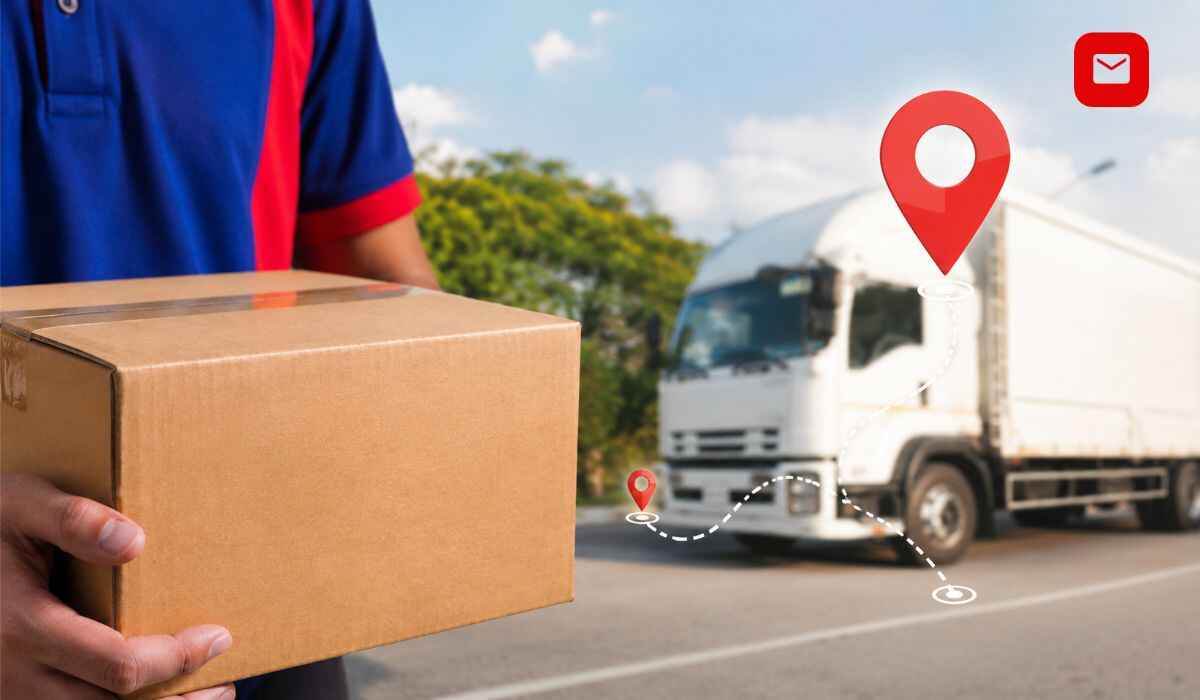
If you are waiting for a parcel and want to know exactly where it is, DTDC courier tracking gives you a real-time answer in seconds. Whether you sent a document across India or an international package to another country, DTDC lets you follow every step of your shipment from pickup to final delivery. This guide covers every tracking method, every status message in plain language, how to fix common problems, and how to contact DTDC when you need help.
What Is DTDC?
DTDC stands for Desk-to-Desk Courier and Cargo. It was founded in 1990 by Subhasish Chakraborty in Bangalore. Today DTDC operates more than 10,000 service points across India, covers approximately 96 percent of India’s population, delivers over 12 million shipments every month, and provides international delivery to more than 240 countries worldwide. It has a strategic partnership with DPD, owned by GeoPost, the express logistics arm of La Poste in France.
What Is DTDC Courier Tracking?
DTDC courier tracking is the system that lets you monitor your parcel’s real-time location and delivery status. When you book a shipment, DTDC Courier Tracking assigns a unique identification number to your package. This number is scanned at every stage including pickup, sorting hub, transit hub, delivery hub, and final delivery. Every scan creates a new status update in DTDC’s central tracking system, and that update is what you see when you check your shipment online.
What Is a DTDC Courier Tracking Number?
Your DTDC Courier tracking number is also called the AWB number, consignment number, docket number, or reference number. All of these refer to the same unique code assigned to your shipment.
A DTDC Courier tracking number starts with one capital letter followed by eight numeric digits. It is a 9-character alphanumeric code. Common examples look like D16444492 or Z20979409. Some newer shipment formats use 11 to 12 characters but the structure remains the same.
Where to Find Your DTDC Courier Tracking Number
You can find your DTDC Courier tracking number in the following places. It is printed on your physical booking receipt under the barcode, labeled as CN No. It is also sent in the SMS confirmation delivered to your mobile number at the time of booking. You will also find it in your email booking confirmation. If you purchased something online, check your order confirmation page or order history email from the store.
How to Do DTDC Courier Tracking Online
There are five reliable ways to track your DTDC courier. Use whichever works best for you.
Track on the Official DTDC Website
Open your browser and go to dtdc.com for international shipments or dtdc.in for domestic Indian parcels. Find the Track Your Shipment section on the homepage. Choose whether you want to search by AWB or Consignment Number or by Reference Number. Enter your tracking number in the field. If you have more than one shipment, you can enter up to 25 consignment numbers at once by separating them with commas. Click the Track button and your shipment’s current location, transit history, and estimated delivery information will appear immediately. For shipments sent from the USA to India, use usa.dtdc.com.
Track via the MyDTDC Mobile App
Download the official MyDTDC app from Google Play Store or Apple App Store. Open the app and use the guest tracking option or log in to your account. Enter your consignment number in the tracking field and tap Track. Your live shipment status will appear with full history. The app also sends push notifications whenever your shipment status changes so you do not need to keep checking manually.
Track via SMS
Open your phone’s messaging app and type TRACK, followed by a space, then your tracking number. For example type TRACK Z20979409 and send it to 9230092300. DTDC will reply automatically with your parcel’s latest delivery status. This method works without internet and is available to every mobile user in India. You can also check if DTDC delivers to a specific pin code by sending PIN followed by the pin code to the same number.
Track via DIVA, the AI Virtual Assistant
DTDC Courier Tracking introduced DIVA, their AI-powered virtual assistant, in 2025. DIVA is available on the DTDC website and in the MyDTDC app under the Contact Us section. Open the chat window, type your consignment number or ask where your parcel is, and DIVA responds instantly with your current shipment status. DIVA can also answer questions about delivery timelines and register complaints without needing a human agent.
Track via Third-Party Platforms
If you want to track shipments from multiple courier companies in one place, platforms like AfterShip, Ship24, TrackingMore, and CarriageTracking all support DTDC courier tracking. Enter your DTDC Courier tracking number on any of these platforms and click search to view your status and full transit history. These are especially helpful for international shipments that pass through multiple carrier networks.
DTDC Courier Tracking Status Messages and What They Mean
When you track your DTDC shipment, you will see one of the following status messages.
Booked
Your shipment has been registered in the DTDC system and is awaiting collection from the sender.
Softdata Upload
The booking details have been entered digitally, but the parcel has not yet been physically scanned. This is completely normal in the first few hours after booking.
Picked Up
DTDC has physically collected your parcel from the sender. The tracking journey has officially started.
In Transit
Your package is actively moving through the DTDC network between sorting hubs or from one city to another.
Out for Delivery
The delivery agent has your parcel on their vehicle and is heading to your address. Delivery is expected the same day.
Pending at the Branch
Your parcel is at the local DTDC franchise office nearest to your address and is queued for the next delivery slot.
Delivered
The shipment has been successfully handed over to the recipient. Delivery is complete.
Receiver Not Available
A delivery attempt was made but no one was at the address. DTDC will try again on the next working day.
Delivery Exception Something has interrupted the delivery
Common reasons include an incorrect address, bad weather, a public holiday, or customs delays on international parcels.
RTO Initiated RTO stands for Return to Origin
The parcel is being returned to the sender after multiple delivery attempts failed or because the recipient refused it.
DTDC International Courier Tracking
DTDC delivers to more than 240 countries and territories. Tracking an international shipment works exactly the same way as domestic tracking. Go to dtdc.com, enter your consignment number, and click Track. You will see the full transit history including departure from India, transit hub updates, customs clearance stages, and final delivery confirmation. Express international service to the USA, UK, UAE, and Australia typically delivers within 2 to 6 business days. Standard international delivery takes 6 to 10 business days.
DTDC Delivery Time
For domestic shipments, standard delivery between major cities takes 2 to 4 business days. Standard delivery to other cities and towns takes 3 to 7 business days. Remote or rural locations may take up to 10 business days. Express Premium service delivers within 24 to 48 hours between major cities. For international shipments, Premium Express delivers in 2 to 4 business days and standard international takes 6 to 10 business days. DTDC delivers Monday through Saturday from 9:30 AM to 6:00 PM. There are no deliveries on Sundays or public holidays.
DTDC Courier Tracking Not Updating? Here Is What to Do
Tracking Number Shows No Data
You may have entered the number incorrectly or the shipment may be too new. Double check every character and make sure there are no spaces. New shipments take 4 to 6 hours to become active in the tracking system.
Status Not Changed for 12 to 24 Hours
The parcel is likely between scan points. Smaller or rural hubs sometimes have delayed scanning. Wait another 12 to 24 hours and check again.
No Update for More Than 48 Hours
Contact DTDC customer care immediately with your tracking number. Call +91 73 0577 0577, Monday to Saturday, from 9:30 AM to 6:00 PM.
Status Shows Delivered But Parcel Not Received
Check with your neighbors or building security first as the parcel may have been accepted on your behalf. If no one received it, raise a formal dispute through the Support section on dtdc.com or call the helpline immediately.
DTDC Customer Care Contact Details
For phone support, call +91 73 0577 0577, available Monday to Saturday from 9:30 AM to 6:00 PM IST, in English, Hindi, and regional languages. For email support write to customersupport@dtdc.com and include your tracking number in the subject line. DIVA, the AI virtual assistant, is available 24 hours a day on the DTDC website and app for tracking queries and complaints. DTDC is also active on Twitter, Facebook, and Instagram where you can send a direct message with your consignment number. For formal complaints log in to dtdc.com and use the Raise an Issue feature.
DTDC Fraud Warning
DTDC has issued active warnings about delivery scams. Fraudsters call or send fake SMS messages pretending to be DTDC agents and ask for an OTP, a UPI payment, or a re-delivery fee. DTDC will never ask for money, an OTP, or remote access to your phone to complete a delivery. If you receive such a call or message, do not respond. Verify your shipment status directly on track.dtdc.com and report the incident by calling plus 91 73 0577 0577. Never click on shortened links sent by unknown numbers.
Conclusion
DTDC courier tracking is one of the most reliable parcel monitoring systems in India. With more than 35 years of experience, over 10,000 service points, AI-powered support through DIVA, and worldwide coverage across 240 countries, DTDC gives every customer complete visibility over their shipments at every stage of the journey.
The single most important thing you can do is save your consignment number as soon as you receive it. With that number and the methods in this guide, you will always know exactly where your parcel is and what to do if anything goes wrong.
For tracking guides on other services including India Post, Speed Post, and Blue Dart, visit indiaposttrackings.com.
Frequently Asked Questions About DTDC Courier Tracking
How do I track my DTDC courier?
Go to dtdc.com, click Track Your Shipment, enter your AWB or consignment number, and press Track. You can also use the MyDTDC app or send an SMS with your tracking number to 9230092300.
Where can I find my DTDC Courier tracking number?
Your tracking number is on your booking receipt under the barcode, in your SMS and email booking confirmations, and in your online order history.
What is the DTDC Courier tracking number format?
It starts with one capital letter followed by eight digits. Examples include D16444492 and Z20979409.
How long does DTDC take to deliver?
Standard domestic delivery takes 3 to 7 business days. Express services deliver within 24 to 48 hours in major cities. International express takes 2 to 6 business days.
Why is my DTDC Courier tracking not updating?
New shipments need 4 to 6 hours to appear in the system. If there is no update for more than 48 hours, contact DTDC customer care at plus 91 73 0577 0577.
Can I track DTDC international shipments?
Yes. Enter your consignment number at dtdc.com or use usa.dtdc.com for US shipments. Tracking works the same as domestic.
Can I track multiple DTDC shipments at once?
Yes. On dtdc.com, you can enter up to 25 consignment numbers separated by commas in a single search.
What does Out for Delivery mean?
It means the delivery agent has your parcel and will attempt delivery to your address that same day.
What should I do if the status shows “Delivered” but I have not received the parcel?
Check with neighbours or building security first. If still unresolved, raise a dispute on dtdc.com or call plus 91 73 0577 0577 immediately.
What is DIVA?
DIVA is DTDC’s AI-powered virtual assistant available 24 hours a day on the DTDC website and app. It handles tracking queries, complaints, and delivery questions instantly.
Is DTDC Courier tracking free?
Yes. Tracking via website, app, and SMS is completely free for all customers.
What does Softdata Upload mean?
It means the shipment is registered in the system but has not yet been physically scanned at the pickup point.
What does RTO mean?
RTO stands for Return to Origin. The parcel is being sent back to the sender after failed delivery attempts.
Read Also: www indiapost gov in tracking: How to Use the Official India Post Tracking Portal
dtdc courier tracking: current 2026 guidance
Use the tracking page of the carrier named in the shipment confirmation. Courier networks may hand a package to a regional or postal delivery partner, which can create a second tracking number and a short gap between scans.
- Copy the number without spaces or punctuation.
- Check for a last-mile tracking number.
- Contact the seller when the carrier has not received the parcel.
Last verified: 9 September 2026. Confirm live tracking, prices and service availability on the official India Post website.