Introduction
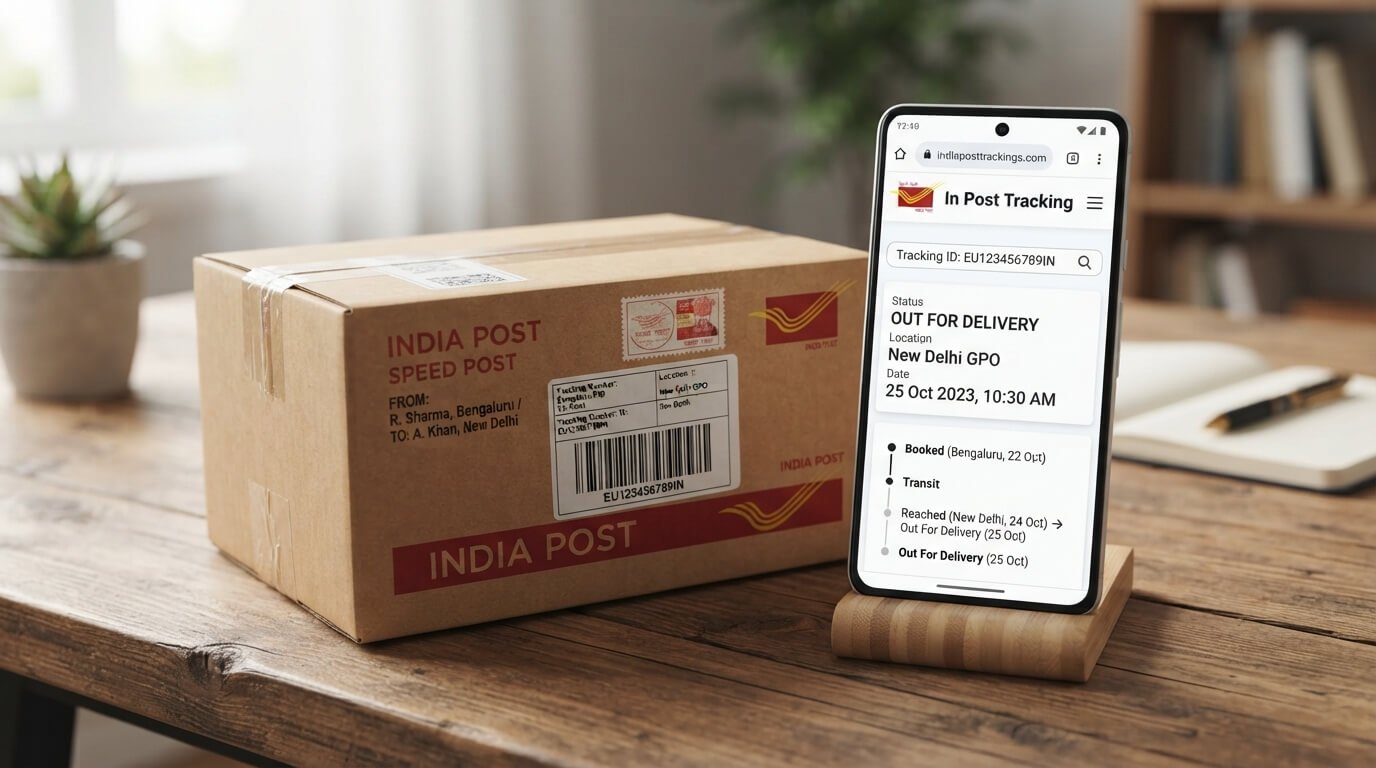
Searching for “in post tracking“? You’re looking for India Post tracking, the official way to follow any shipment sent through India’s national postal service, including Speed Post, Registered Post, parcels, and international mail.
With over 1.5 lakh post offices nationwide, India Post is the largest postal network in the world, and every trackable item comes with a unique consignment number that lets you follow it from booking to delivery.
This guide covers every tracking method available, website, app, SMS, WhatsApp, and phone — plus what each status means and how to fix common tracking issues, all in one place.
What Does “In Post Tracking” Mean?
“In Post tracking” is simply another way people search for India Post tracking, checking the live delivery status of any item booked through India Post using its consignment (tracking) number.
This applies across all trackable India Post services, not just Speed Post.
Which India Post Services Can Be Tracked?
India Post offers several services, and most of them come with online tracking:
| Service | Trackable? | Typical Use |
| Speed Post | Yes | Fast domestic/international parcels and documents |
| Registered Post | Yes | Important letters, legal documents, certificates |
| Parcel Post | Yes | Larger packages and goods |
| Business Parcel / COD | Yes | E-commerce deliveries |
| International EMS | Yes | Parcels sent abroad or received from other countries |
| Ordinary/Unregistered Post | No | Basic mail without tracking facility |
Where to Find Your India Post Tracking Number
- Booking receipt printed at the counter when you book your item.
- SMS or email sent by the sender, seller, or India Post itself.
- Order confirmation page if you bought something online that ships via India Post.
The number is typically 13 characters long (e.g., EM123456789IN): two letters, nine digits, and “IN” for India-origin items.
How to Do In Post Tracking (Step-by-Step)
Step 1: Get Your Consignment Number
Locate your 13-character tracking code from your receipt, SMS, or email confirmation.
Step 2: Visit the Official India Post Tracking Page
Go to the “Track Consignment” page on the official India Post website, or use a reliable third-party tracker for a faster, simpler layout.
Step 3: Enter the Consignment Number
Type it exactly as received, capital letters, no spaces or extra characters.
Step 4: Complete the Captcha
This verifies you’re a genuine visitor before showing your live status.
Step 5: Click “Track”
Your item’s complete journey will display booking, transit, arrival, and delivery.
Step 6: Track via the DakSewa App
Download India Post’s official DakSewa mobile app (Android/iOS), enter your tracking number, and get updates directly on your phone, including push notifications for status changes.
Step 7: Track via SMS (No Internet Needed)
Send POST TRACK followed by your tracking number in capital letters (e.g., POST TRACK EM123456789IN) to 166 or 51969.
Step 8: Track via WhatsApp
Some official and trusted tracking tools now support WhatsApp-based status updates; simply message your consignment number to the registered tracking number and receive delivery updates directly in your chat.
Step 9: Track by Phone
Call the India Post customer care helpline at 1800 266 6868 (toll-free) and provide your consignment number for a manual status check.
Understanding India Post Tracking Status Updates
| Status | Meaning |
| Booked / Item Received | Accepted at the origin post office |
| Bagged | Sealed into a mailbag for transport |
| In Transit | Moving between sorting offices or cities |
| Arrived at Delivery Office | Reached the post office nearest to the recipient |
| Out for Delivery | With the postman, expected same day |
| Item Delivered | Successfully handed over |
| Delivery Attempted / Undelivered | Attempted but unsuccessful |
| Returned to Sender | Sent back after repeated failed delivery attempts |
| Held at Customs | International items pending customs clearance |
India Post Delivery Timelines
| Route | Estimated Delivery Time |
| Same city | 1–2 business days |
| Metro-to-metro | 2–3 business days |
| Other domestic cities | 3–5 business days |
| Remote/rural areas | 5–7 business days |
| International (EMS) | 3–9 business days |
Common In Post Tracking Problems and How to Fix Them
- “No record found” error: Wait several hours to a full day after booking; the first scan can take time to reflect online.
- Tracking number typed incorrectly. These codes are case-sensitive; recheck every character carefully.
- No update for 2–3 days: Usually normal during transit between sorting hubs, especially for long-distance or rural deliveries.
- Item shows delivered but not received: Check with family members, neighbors, or building security, then contact your local post office if unresolved.
- Delay of 7+ days with no movement: Visit or call your booking post office with the consignment number and file a formal complaint if needed.
How to File a Complaint for a Delayed or Lost India Post Item
- Keep your consignment number and booking receipt ready.
- Visit the India Post grievance/complaint portal or call the toll-free helpline.
- Provide your tracking number, booking date, and issue details.
- For insured or registered items, ask about compensation eligibility if the item is confirmed lost.
Tips for a Smoother India Post Delivery Experience
- Always double-check the recipient’s address and PIN code before booking.
- Save a photo of your booking receipt immediately.
- Track once or twice a day rather than repeatedly; status only updates at each scan point.
- Keep your phone reachable, as postmen often call ahead before delivery attempts.
Final Thoughts
Whatever you searched for, “in post tracking,” “India Post tracking,” or “Speed Post tracking”, the process is the same: grab your consignment number and check it through the website, app, SMS, or WhatsApp.
Bookmark this guide so you always know exactly how to follow your India Post shipment, understand its status, and know what to do if something goes wrong.
FAQs
1. What is “in post tracking”?
“In post tracking” refers to India Post tracking, checking the live delivery status of any item sent through India Post using its unique consignment number.
2. How do I track my India Post item online?
Enter your 13-character consignment number on the official India Post tracking page, complete the captcha, and click “Track” to see live status updates.
3. Can I track India Post items without internet?
Yes send POST TRACK followed by your tracking number in capital letters to 166 or 51969 for a status update by SMS.
4. Is there an official app for India Post tracking?
Yes, India Post’s official DakSewa app lets you track shipments, view delivery updates, and receive push notifications directly on your phone.
5. What types of India Post items can be tracked?
Speed Post, Registered Post, Parcel Post, Business Parcels, and International EMS shipments are all trackable; ordinary unregistered mail is not.
6. Why does my India Post tracking show no updates for 2 days?
This is normal during transit between sorting offices, especially for longer routes. If there’s no update after 3+ days, contact your local post office.
7. How long does India Post delivery usually take?
Local items typically arrive in 1–2 days, other domestic cities in 3–5 days, and international shipments in 3–9 business days, depending on the destination.
8. What should I do if my India Post item is delayed or lost?
Contact your booking post office with your consignment number, or file a complaint through the India Post grievance portal or toll-free helpline 1800 266 6868.
9. Can I track India Post shipments on WhatsApp?
Yes, several tracking tools now support sending your consignment number via WhatsApp to receive delivery status updates directly in your chat.