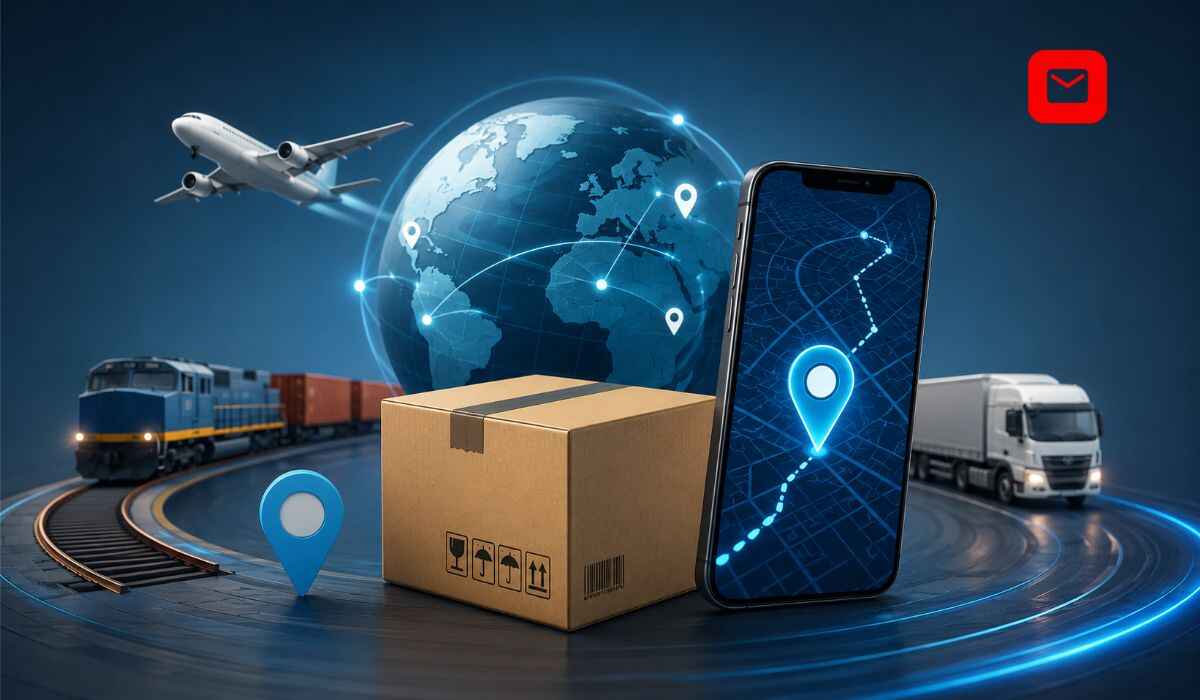
Tracking package shipments is the process of monitoring the real-time location, delivery status, and complete transit history of any parcel from the moment it is collected by a carrier through every sorting hub, customs checkpoint, and delivery attempt until it is confirmed as delivered at your address.
Whether you are waiting for an India Post Speed Post, a USPS shipment from the USA, a DHL international parcel, an AliExpress ePacket order from China, or a domestic courier from FedEx, UPS, or any of the thousands of global carriers, understanding how tracking package systems work gives you full visibility and the ability to resolve problems before they escalate.
This complete guide covers how package tracking works, all tracking number formats, every status message explained, the best tracking platforms, and what to do when your tracking is not updating.
How Tracking Package Systems Work
Think of package tracking as a live map for your shipment. When a seller ships your order, the carrier assigns a unique tracking number to your package. Each time the package reaches a new checkpoint such as pickup, sorting centers, or customs, the tracking number is scanned. These scans automatically update the status and location in the tracking system, providing real-time visibility into the parcel’s journey.
The tracking process relies entirely on barcodes printed on the shipping label. At every checkpoint, handheld scanners, automated conveyor systems, or gate-scanning machines capture the barcode details and send them to the courier’s tracking database.
Between scans, the package is actively moving but no new update appears in the tracking system. This is why tracking gaps are normal and do not indicate a problem with your shipment.
Understanding Tracking Package Numbers by Carrier
Every carrier uses a specific tracking number format. Knowing the format helps you identify the correct carrier before entering the number.
| Carrier | Tracking Format | Length | Example |
|---|---|---|---|
| India Post | 2 letters plus 8 digits plus IN | 13 characters | EE123456789IN |
| USPS | Starts with 9 | 20 to 22 digits | 9400100000000000000000 |
| FedEx | Numeric only | 12 to 22 digits | 123456789012 |
| UPS | Starts with 1Z | 18 characters | 1Z999AA10123456784 |
| DHL Express | 10 digits | 10 digits | 1234567890 |
| China Post ePacket | 2 letters plus 9 digits plus CN | 13 characters | LX123456789CN |
| Royal Mail UK | 2 letters plus 8 digits plus GB | 13 characters | AB123456789GB |
| SpeedPAK | Starts with EE or ES | 26 characters | EE plus digits plus CN |
| Delhivery India | Numeric only | 16 digits | 1234567890123456 |
| Blue Dart India | Numeric only | 11 digits | 12345678901 |
India Post Tracking Package Numbers Explained
India Post tracking numbers follow the Universal Postal Union S10 international standard. Every 13-character India Post number has three parts.
The first two letters indicate the service type. The next eight digits are the unique parcel identifier. The last two characters are IN, confirming India as the country of origin.
| Prefix | India Post Service |
|---|---|
| EE or ED | Speed Post domestic |
| CP | Speed Post registered |
| EM | EMS Speed Post international |
| RA or RX | Registered Post |
| CX | Express Parcel Post |
| EU | eCommerce parcel |
| LY or LX | Economy mail international |
How to Track a Package: All Methods
Method 1: Official Carrier Website
The most accurate and up-to-date tracking information always comes from the carrier’s own portal. Enter your tracking number directly on the carrier’s official website.
For India Post shipments, visit indiapost.gov.in or use the tracking tool on indiaposttrackings.com for instant results.
For USPS packages, visit usps.com. For FedEx, visit fedex.com. For UPS, visit ups.com. For DHL, visit dhl.com.
Method 2: SMS Tracking
India Post offers SMS-based package tracking that works without an internet connection. Send POST TRACK followed by your 13-character tracking number to 166 or 51969 from any Indian mobile number. Available 24 hours a day, 7 days a week for articles booked within 60 days.
For USPS packages in the USA, text your tracking number to 28777 (2USPS) to receive the latest status via SMS.
Method 3: Mobile App Tracking
All major carriers offer dedicated mobile apps with push notifications for every status change. India Post’s official app is Postinfo, available on Android and iOS. FedEx, UPS, DHL, and USPS all have official apps with barcode scanning capabilities.
Method 4: Universal Third-Party Tracking Platforms
Third-party platforms support thousands of carriers simultaneously and are especially useful when you are unsure which carrier is handling your package or when tracking an international shipment that passes through multiple postal systems.
| Platform | Carriers Supported | Best For |
|---|---|---|
| indiaposttrackings.com | India Post and international carriers | India Post and global tracking |
| 17track.net | 2,400 plus carriers | Universal multi-carrier tracking |
| AfterShip | 1,321 carriers | E-commerce order tracking |
| TrackingMore | 1,500 plus carriers | Business and API tracking |
| parcelsapp.com | 800 plus carriers | International postal tracking |
| ship24.com | 1,200 plus carriers | Cross-border shipment tracking |
AfterShip supports tracking updates from 1,321 international carriers including FedEx, UPS, DHL, USPS, and many more, enabling you to follow virtually any package worldwide. The tracking interface is available in 30 plus languages including English, Spanish, French, German, Japanese, and Italian.
Method 5: Phone Tracking
For issues that online tracking cannot resolve, calling carrier customer service provides access to internal scan data not visible through public portals.
| Carrier | Phone Number | Hours |
|---|---|---|
| India Post | 1800-266-6868 | Monday to Saturday, 9 AM to 6 PM |
| USPS USA | 1-800-222-1811 | Monday to Friday |
| FedEx India | 1800-209-6161 | Monday to Friday |
| DHL India | 1800-111-345 | Every day |
Complete Tracking Package Journey: From Dispatch to Delivery
Understanding the full journey of a package helps you interpret every tracking update correctly.
Domestic Package Journey
Step 1: Booking and Label Creation The sender books the shipment and a tracking number is assigned. A barcode label is generated and attached to the parcel.
Step 2: Pickup or Drop-Off. The carrier collects the parcel from the sender, or the sender drops it off at a post office or courier counter. The first scan creates the initial tracking record.
Step 3: Sorting Facility The package arrives at a regional sorting and distribution center where it is scanned, sorted by destination, and consolidated with other outbound packages.
Step 4: Transit Hubs For long-distance shipments, the package passes through one or more transit hubs between the origin and destination regions. Each hub generates a scan update.
Step 5: Delivery Post Office or Depot The package arrives at the post office or delivery depot nearest to the recipient’s address. A local delivery agent is assigned.
Step 6: Out for Delivery The package is loaded onto a delivery vehicle. The tracking status changes to Out for Delivery.
Step 7: Delivery The delivery agent arrives at the recipient’s address. The package is handed over and a final delivered scan is recorded.
International Package Journey
For international shipments, the journey includes additional stages between dispatch and delivery.
Stage 1: Origin country processing The package is collected, sorted, and scanned at departure facilities within the origin country. Export customs documentation is processed.
Stage 2: International transport When a package begins its international journey, it first goes through export processing in the origin country. From there, it may transfer to an airline or sea carrier, arrive at the destination country, pass through customs inspection, and enter the local courier network for final delivery. The package is scanned at origin facilities, airports, customs ports, transit hubs, and final sorting centers.
No scan updates appear during the international flight itself, causing gaps of 1 to 5 days that are completely normal.
Stage 3: Destination country customs The package undergoes import customs inspection. This takes 2 to 10 business days, depending on the country, item type, and the accuracy of the documentation.
Stage 4: Last-mile delivery After customs clearance, the package enters the destination country’s local postal network for final delivery. For packages arriving in India from abroad, India Post handles the last mile. For packages arriving in the USA from abroad, USPS handles the last mile.
Every Tracking Package Status Explained
Here is every status message you may see when tracking any package and exactly what it means:
| Status | What It Means |
|---|---|
| Label Created or Pre-Shipment | Shipping label generated, carrier not yet physically received parcel |
| Accepted or Item Received | Carrier has scanned and accepted the package |
| In Transit | Moving between facilities, gaps of 24 to 48 hours are normal |
| Arrived at Facility | Package reached a sorting or distribution center |
| Departed Facility | Left a facility heading toward the next checkpoint |
| Out for Delivery | On delivery vehicle, arriving today |
| Delivered | Successfully handed to recipient |
| Delivery Attempted | Carrier tried but recipient unavailable |
| Available for Pickup | Package held at local post office or depot |
| Customs Clearance | Being processed at destination country customs |
| Customs Released | Cleared customs, handed to local carrier |
| Return to Sender | Package being sent back to origin |
| Exception or Alert | Unexpected issue affecting delivery, check sub-reason |
| On Hold | Shipment paused due to address, payment, or documentation issue |
Track Package by Carrier: Country-Specific Guide
Tracking India Post Packages
India Post is the national postal service of India and handles millions of domestic and international parcels daily. To track an India Post package:
Enter your 13-character tracking number on indiaposttrackings.com or indiapost.gov.in. Alternatively, send POST TRACK, followed by your tracking number, to 166 or 51969 via SMS.
India Post tracking data is available for 60 days from the booking date. After this period, the record is no longer accessible online.
For international India Post EMS packages, tracking continues through the destination country’s postal system using the same 13-character number starting with EM.
Tracking USPS Packages
USPS processes over 472 million mail pieces daily. An estimated 24.6 billion packages are projected to ship within the US in one year, with 98 percent of consumers saying the delivery experience affects brand loyalty.
Enter your USPS tracking number on usps.com. USPS tracking numbers are 20 to 22 digits, starting with 9. You can also use USPS Informed Delivery at informeddelivery.usps.com to receive automatic updates without having to check manually.
Tracking FedEx Packages
FedEx tracking numbers are 12 to 22 numeric digits. Enter your number at fedex.com or on the FedEx mobile app. FedEx India customers can call 1800-209-6161 to track their shipments.
FedEx keeps tracking data publicly accessible for 90 days after delivery. Signature-proof of-delivery records are available for up to 18 months.
Tracking DHL Packages
DHL tracking numbers are typically 10 digits. Enter your number at dhl.com for global tracking. For DHL Express India, call 1800-111-345.
Tracking UPS Packages
UPS tracking numbers start with 1Z followed by 16 characters. Enter your number at ups.com or on the UPS mobile app for real-time status.
Tracking China Post and ePacket Packages
China Post and ePacket packages use 13-character tracking numbers following the Universal Postal Union S10 format. The number starts with two letters such as LX, LZ, or LY and ends with CN. Enter the number on 17track.net for the most comprehensive China Post tracking coverage.
Tracking Package Not Updating: Step by Step Fixes
Fix 1: Allow 24 to 72 Hours After Dispatch
New bookings take 24 to 72 hours to appear in the tracking system. The package must be physically collected and scanned at the first facility before any data becomes publicly available. If the sender recently dispatched the parcel, simply wait.
Fix 2: Verify the Tracking Number
A single wrong character returns no result or pulls up someone else’s shipment. Recheck every digit carefully. Copy and paste from the original confirmation rather than typing manually to avoid errors.
Fix 3: Understand Transit Gaps Are Normal
Domestic packages can take 24 to 48 hours to travel between sorting hubs. International packages can have gaps of 3 to 10 days during air transport and customs clearance. These gaps do not indicate a lost or delayed shipment in most cases.
Fix 4: Try a Universal Tracking Platform
If the official carrier website shows no results, enter the same tracking number on indiaposttrackings.com, 17track.net, or ship24.com. These platforms pull data from multiple carrier databases and sometimes display updates that are not yet visible on the carrier’s own portal.
Fix 5: Check Customs Status for International Packages
For international packages arriving in India, tracking often pauses during customs inspection. This is normal and outside the carrier’s control. Most packages clear Indian customs within 3 to 7 business days. Tracking resumes once India Post receives the package from customs.
Fix 6: Contact the Sender
If the tracking number shows no movement for more than 5 business days on a domestic shipment or 15 business days on an international shipment, contact the seller. They have direct access to carrier investigation channels and can raise a formal inquiry on your behalf.
Fix 7: File a Missing Package Report
For confirmed lost packages, file a missing package report directly with the carrier. India Post complaints can be filed at ccc.cept.gov.in. USPS missing mail searches can be filed at usps.com. Most carriers have formal investigation processes that begin only after a formal report is submitted.
Tracking Package for International Shipments to India
When a package is sent from abroad to India, tracking involves two separate systems that must work together.
The first system is the origin country’s carrier, which handles tracking from dispatch through customs at the point of departure.
The second system is India Post, which receives the package after it clears Indian customs and handles the final delivery. India Post assigns an incoming tracking number linked to the original international tracking number.
To track a package arriving in India from abroad, enter the sender’s original tracking number on indiaposttrackings.com. The platform integrates international carrier data and India Post domestic delivery data into a single view.
Common carrier handovers at the India end include USPS handing off to India Post for US-origin packages, China Post and ePacket handing off to India Post for China-origin packages, and Royal Mail handing off to India Post for UK-origin packages. In all these cases, the original tracking number from the sender continues to work on indiaposttrackings.com throughout the entire journey.
How to Track Multiple Packages at Once
Managing multiple packages from different carriers simultaneously is a common challenge for online shoppers, businesses, and e-commerce sellers.
AfterShip lets you efficiently track up to 50 packages at once by entering multiple tracking numbers, so you can monitor all your shipments in one place.
For businesses managing very high volumes, tools like TrackingMore and AfterShip provide API access to track thousands of shipments simultaneously, with webhook notifications that automatically alert you whenever a status changes.
For individual shoppers managing a handful of active orders, saving all tracking numbers in a dedicated notes app or spreadsheet, along with the carrier name and expected delivery date, is the simplest approach that keeps all information accessible without switching between multiple carrier portals.
What Tracking Package Data Tells You About Delivery Performance
Beyond simply knowing where your package is, tracking data reveals important patterns about carrier performance and delivery reliability.
Carriers with frequent scan gaps between major facilities typically provide less transparency than carriers that scan at every minor checkpoint. When choosing between shipping options for a purchase, checking the tracking coverage offered by each service helps you decide which provides the visibility you need.
For businesses that ship regularly, tracking data over time shows which carriers consistently meet stated timeframes, which routes experience the most delays, and which carriers have the highest rates of delivery exceptions. This intelligence helps optimize shipping strategy and reduce customer service costs.
Tips for Better Tracking Package Experiences
Save your tracking number immediately after receiving confirmation. Photograph the booking receipt or copy the number to your notes before anything else.
Enable SMS and app notifications through the carrier or a third-party platform so you receive automatic updates at every milestone without manually checking.
Track on the official carrier portal first for the most up-to-date data, then use third-party platforms for international shipments involving multiple carriers.
Allow appropriate time before escalating. Domestic India Post packages deserve 7 business days. International packages should be given 15 business days before raising a formal concern.
Keep your delivery address complete and accurate. The most common cause of delivery failure is an incomplete address missing the PIN code, building name, or contact number.
Be available on your registered mobile number on the expected delivery date. Carriers increasingly call recipients before attempting delivery, especially in dense urban areas.
Frequently Asked Questions About Tracking Package
What is tracking package?
Tracking package is the process of monitoring the real-time location and delivery status of a parcel using a unique tracking number assigned by the carrier at the time of dispatch. The tracking number is scanned at every checkpoint from pickup to final delivery.
How do I track a package from India Post?
Enter your 13-character India Post tracking number on indiaposttrackings.com or indiapost.gov.in. You can also send POST TRACK, followed by your tracking number, to 166 or 51969 via SMS from any Indian mobile number.
Why is my tracking package not updating?
Tracking gaps of 24 to 48 hours are normal during domestic transit. International packages can have gaps of 3 to 10 days during air transport and customs. Allow the appropriate time window before contacting the carrier.
How long does India Post keep tracking records?
India Post keeps tracking data accessible for 60 days from the booking date. Always save a screenshot of the delivered confirmation before this window expires.
Can I track a package without a tracking number?
Without a tracking number, standard online tracking is not possible. Contact the sender to obtain the tracking number from their booking confirmation. For India Post, the tracking number appears on the booking receipt as the article number.
What does Out for Delivery mean?
Out for Delivery means the package has been loaded onto a delivery vehicle and is scheduled to arrive at your address that business day. Delivery typically happens between 9 AM and 8 PM depending on the carrier and location.
How do I track an international package coming to India?
Enter the international tracking number provided by the sender on indiaposttrackings.com. The platform tracks the package through the origin carrier’s system and continues to show updates once India Post receives the parcel after customs clearance.
What should I do if my tracking package shows delivered but I did not receive it?
Check with neighbors, building security, and all entry points at your address first. Contact the carrier immediately with your tracking number and request a Proof of Delivery document. For India Post, file a complaint at ccc.cept.gov.in or call 1800-266-6868.
Read Also: USPS Tracking: Complete Guide to Track Your Package in 2026
Tracking package: current 2026 guidance
For the most reliable result, compare the latest scan with the official India Post Track and Trace service. Tracking is event-based: updates appear after acceptance, sorting, dispatch and delivery scans rather than showing continuous GPS movement.
- Verify letters and digits on the booking receipt.
- Allow a reasonable interval between processing scans.
- Keep the receipt until the article is delivered.
Last verified: 9 September 2026. Confirm live tracking, prices and service availability on the official India Post website.