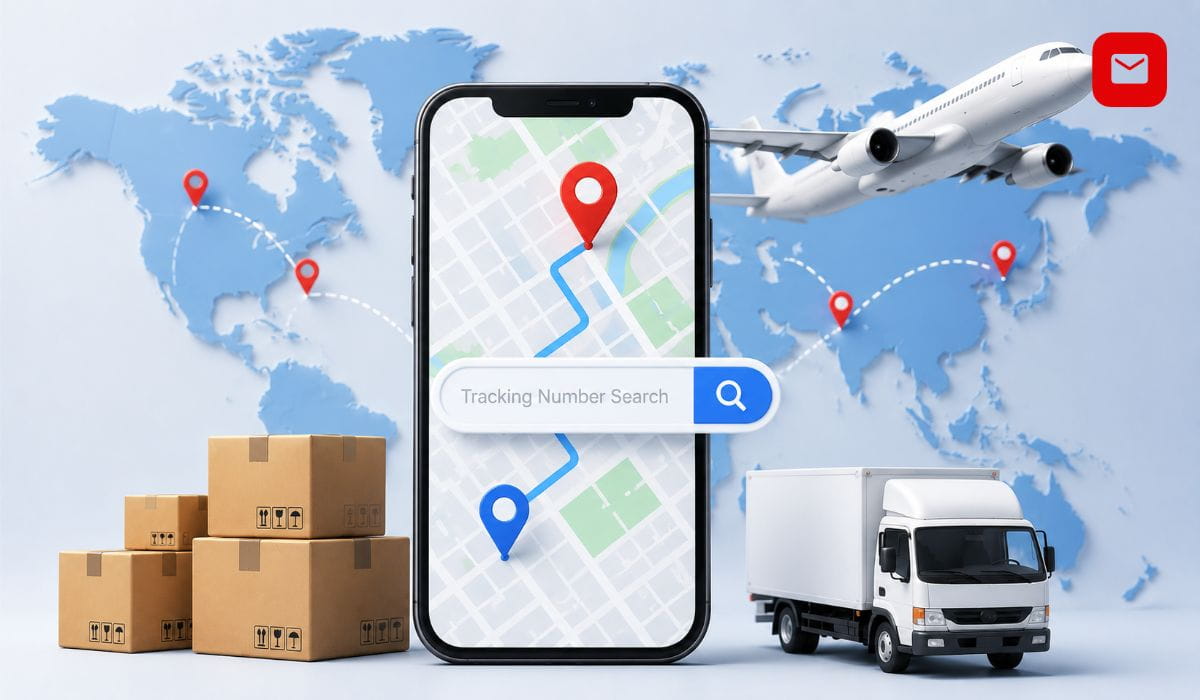
Tracking number search is the process of entering a unique shipment code on a carrier website or a universal tracking tool to retrieve real-time location data, delivery status, and the complete scan history of any parcel, anywhere in the world. Whether you are searching for an India Post Speed Post number, a USPS domestic tracking code, a DHL Express waybill, a China Post ePacket number, or any other carrier tracking number, this complete guide explains what tracking numbers are, how to read every format, how to search any tracking number instantly, and what to do when a tracking number search returns no results.
What Is a Tracking Number?
A tracking number is a unique alphanumeric identifier assigned to a parcel or shipment by the carrier at the time of booking, used to locate and monitor the package at every point in its delivery journey. Every time a parcel is scanned at a pickup point, sorting center, customs facility, or delivery hub, the tracking number links that scan event to your specific shipment and makes it visible to you through any tracking number search.
Tracking numbers are between 8 and 40 characters long, depending on the carrier. They can consist of digits only, letters only, or a combination of both. The format is not random. Every character in a tracking number carries specific information about the carrier, the service type, the origin country, and, in some cases the destination.
Think of tracking number search as a live map for your shipment. When a seller ships your order, the carrier assigns a unique tracking number to your package. Each time the package reaches a new checkpoint, such as pickup, sorting centers, or customs, the tracking number is scanned, and the status and location are automatically updated in the tracking system.
How to Do a Tracking Number Search
Search on indiaposttrackings.com
- Go to indiaposttrackings.com
- Enter your tracking number in the search bar exactly as written
- Click Track Now
- The tool automatically identifies the carrier from the tracking number format
- All scan events, timestamps, locations, and current status appear instantly
- No login, no registration, and no carrier selection required
This is the most efficient method for tracking number searches involving India Post, international parcels arriving in India, and cross-border shipments that pass through multiple carriers.
Search on the Carrier’s Official Website
If you know which carrier is handling your shipment, visit the carrier’s official website and use their built-in tracking number search tool. This gives you data straight from the carrier’s own system.
Search Using Google
Paste any tracking number directly into the Google search bar. Google automatically detects major carrier tracking numbers, including FedEx, UPS, DHL, and USPS, and displays the current tracking status directly in the search results. This is the fastest way to check a status without opening a separate website.
Search on a Universal Tracking Tool
Universal tracking tools like indiaposttrackings.com automatically detect the carrier associated with your tracking number, eliminating the need for manual input and ensuring accurate tracking information every time. These tools are essential for international shipments where parcels pass through multiple carriers.
How to Read Any Tracking Number Format
A tracking number is a unique identification code assigned to a package or shipment. Tracking numbers can consist of letters and numbers, and their format varies depending on the delivery or postal service used.
Knowing the format instantly tells you the carrier and service type. Here is the complete reference for every major carrier:
India Post Tracking Number Formats
| Service | Format | Example |
|---|---|---|
| Speed Post Domestic | EE or EU plus 9 digits plus IN | EE123456789IN |
| EMS International | EM or EA plus 9 digits plus IN | EM123456789IN |
| Registered Post | RX or RA plus 9 digits plus IN | RX123456789IN |
| Express Parcel | CP plus 9 digits plus IN | CP123456789IN |
| Logistics Post | LP plus 9 digits plus IN | LP123456789IN |
| Passport Post | PP plus 9 digits plus IN | PP123456789IN |
International Carrier Tracking Number Formats
| Carrier | Format | Example |
|---|---|---|
| USPS Domestic | 20 to 22 digits | 94001234567890123456 |
| USPS International | 13 characters ending in US | CF123456789US |
| UPS | 18 characters starting with 1Z | 1Z999AA10123456784 |
| FedEx Express and Ground | 12 digits | 123456789012 |
| FedEx SmartPost | 20 to 22 digits | 61299998820821171811 |
| DHL Express | 10 to 11 digits | 1234567890 |
| DHL Global Mail | Starts with JD, 18 to 20 characters | JD014600006141835854 |
| China Post EMS | E plus letter, 9 digits, CN | EE123456789CN |
| China Post ePacket | L plus letter, 9 digits, CN | LM489998816CN |
| China Post Registered | R plus letter, 9 digits, CN | RR123456789CN |
| Royal Mail UK | 13 characters ending in GB | JD123456789GB |
| Cainiao | Starts with CNUSUP or LP | CNUSUP00017762655 |
| Yanwen | 13 characters ending in YP | UA123456789YP |
| Yun Express | Starts with YT | YT2300012345678 |
| Amazon Logistics | Starts with TBA | TBA123456789000 |
| Evri UK | 16 alphanumeric characters | C00HHA0546184636 |
| Australia Post | 13 characters ending in AU | EE123456789AU |
| Canada Post | 16 digits | 1234567890123456 |
| Deutsche Post Germany | 20 to 22 digits | 00340000161200000001 |
| Japan Post | 13 characters ending in JP | EE123456789JP |
How to Identify a Carrier from a Tracking Number
Follow this simple process for any tracking number search where you do not know the carrier:
Step 1: Count the characters. Very short numbers, under 10 digits, are usually handled by Mondial Relay or a similar regional carrier. Numbers of exactly 13 characters are often used by Universal Postal Union members such as India Post, China Post, or Royal Mail.
Step 2: Look at the first characters. Numbers starting with 1Z are UPS. Numbers starting with TBA are Amazon Logistics. Numbers starting with JD are DHL Global Mail. Numbers ending in IN are India Post. Numbers ending in CN are China Post.
Step 3: If the format is still unclear, paste the number into indiaposttrackings.com. The tool automatically identifies the carrier without any manual input.
Tracking Number Search for Every Major Carrier
India Post Tracking Number Search
India Post uses the Universal Postal Union S10 standard for all its tracked services. Every India Post tracking number is exactly 13 characters long: two letters identifying the service, nine digits as the unique shipment identifier, and two letters for the country code.
To search an India Post tracking number:
- Go to indiaposttrackings.com
- Enter your 13-character consignment number
- Click Track Now to see real-time status, full scan history, and delivery office details
India Post delivers across all 19,000 plus PIN codes in India through its network of more than 1,55,000 post offices. For international parcels arriving in India, enter the foreign tracking number on indiaposttrackings.com. Once India Post receives the parcel after customs clearance, its scan events appear automatically under the same foreign tracking number.
SMS Tracking: Send POST TRACK, followed by your India Post tracking number, to 166 or 51969 from any Indian mobile number for instant status updates without internet access.
USPS Tracking Number Search
USPS tracking numbers for domestic shipments are 20 to 22 digits long. International USPS tracking numbers are 13 characters long and end in US. USPS tracking numbers are 20-22 digits for domestic shipments.
To search a USPS tracking number, go to tools.usps.com or enter the number directly into Google. USPS also offers Informed Delivery, a free service that emails daily previews of incoming parcels to your address even before you receive a tracking number from the sender.
UPS Tracking Number Search
UPS tracking numbers are 18 characters starting with 1Z. This format allows UPS to scan and track packages at each step of the delivery process from pickup to final delivery. If you see a tracking number starting with 1Z, you can be confident that it is a UPS shipment. However, in some cases, especially with hybrid or third-party shipping, your package may start with 1Z but be handed off to another carrier for final delivery.
To search a UPS tracking number, go to ups.com or enter the 1Z number into Google for instant status. UPS My Choice is a free service that automatically notifies you of all incoming UPS deliveries to your registered address.
FedEx Tracking Number Search
FedEx tracking numbers are 12 digits for Express and Ground shipments. FedEx SmartPost numbers are 20-22 digits long. To search for a FedEx tracking number, go to fedex.com or paste the number into Google. FedEx also allows tracking by reference number, purchase order number, or invoice number if the standard tracking number is not available.
DHL Tracking Number Search
DHL tracking numbers are 10 or 11 digits, sometimes starting with a specific prefix like JD. DHL Express numbers are purely numeric, with 10 to 11 digits. DHL Global Mail and DHL eCommerce numbers start with JD and are 18-20 characters long.
To search for a DHL tracking number, go to dhl.com or paste the number into Google. For DHL Global Mail parcels arriving in India, enter the JD number on indiaposttrackings.com to track both the DHL international leg and the India Post last-mile delivery in one place.
How to Search a Tracking Number Without Knowing the Carrier
A tracking number finder is a tool that helps users identify which carrier is handling a shipment based on the tracking number format. Each courier, such as USPS, FedEx, or DHL, uses distinct numbering patterns, and these tools can match those patterns to the correct service, even when the shipping provider is not explicitly mentioned.
There are five methods to identify the carrier when you have a tracking number but do not know the carrier:
Method 1: Use indiaposttrackings.com. Enter the tracking number on indiaposttrackings.com. The auto-detection system identifies the carrier from the number format and returns tracking results automatically. This works for India Post, all major international carriers, and cross-border shipments.
Method 2: Use 17TRACK. A universal parcel tracking platform like 17TRACK gathers information from all carriers involved, keeping your tracking timeline complete even when the shipment changes hands. 17TRACK supports over 3,200 carriers and is the widest-coverage option for identifying unknown carriers.
Method 3: Paste the number into Google. Google’s carrier detection system instantly recognizes the most widely used tracking number formats and displays the carrier name and current status in the search results.
Method 4: Check the format reference table. Use the carrier format table in this guide to match your tracking number against known patterns by counting characters and identifying prefix letters.
Method 5: Contact the sender. Ask the seller or sender to confirm which carrier they used and to provide the exact tracking number. All legitimate sellers have this information available from their shipment booking confirmation.
Tracking Number Search: Why It Returns No Results
A tracking number search that returns no results or shows “not found” is one of the most common tracking concerns. Here are all the reasons this happens and exactly what to do.
Reason 1: Tracking number not yet activated. New tracking numbers take 24 to 48 hours to become active in the carrier’s system after the parcel is physically handed to the carrier. If the seller just dispatched the order, wait one to two days before searching again.
Reason 2: Typo in the tracking number. The most common cause of a failed tracking number search is a character error. Check every character carefully, paying special attention to the letter O versus the number 0, the letter I versus the number 1, and the letter B versus the number 8.
Reason 3: Wrong carrier selected. If you searched on a specific carrier’s website, but the parcel was actually sent through a different carrier, no result will appear. Use a universal tracking tool that auto-detects the carrier to eliminate this problem.
Reason 4: Label created but not yet shipped. Some sellers generate a tracking number and label immediately after receiving an order but do not physically hand the parcel to the carrier for several days. The tracking number exists but shows no movement because no scan has occurred yet.
Reason 5: Economy service with no international tracking. Some cheap shipping options, like China Post Ordinary Small Packet, stop transmitting tracking data after leaving the country of origin. The tracking number is valid but shows no updates outside China because the carrier does not provide international scan data at this service level.
Reason 6: Tracking number expired. Most carriers archive tracking data after 90 to 120 days of the delivery date. A tracking number search on a delivered parcel older than four months may return no results because the carrier has removed the data from its active system.
What to do when the tracking number search shows no results:
- Wait 48 hours after receiving the tracking number and try again
- Double-check every character for typos before assuming the number is wrong
- Try the same number on a different carrier’s website or on a universal tool
- Contact the seller and ask them to confirm the tracking number and the carrier used
- If the number was given more than 48 hours ago and still shows nothing, ask the seller to raise an inquiry with the carrier
- For India Post numbers, try both indiaposttrackings.com and the official India Post website to rule out a system-specific delay
Tracking Number Search for International Shipments
When a package begins its international journey, it first undergoes export processing in the country of origin. From there, it may transfer to an airline or sea carrier, arrive at the destination country, pass through customs inspection, and enter the local courier network for final delivery. The package is scanned at origin facilities, airports, customs ports, transit hubs, and final sorting centers.
For international tracking number searches, one number often covers multiple carrier systems. Here is how it works for the most common cross-border routes arriving in India:
China to India: Enter the Chinese carrier tracking number, whether it starts with EE, LM, UA, YT, or CNUSUP, on indiaposttrackings.com. The tool retrieves scan data from the Chinese carrier and automatically continues tracking through India Post once the parcel clears Indian customs. Both legs appear on a single unified timeline under the same tracking number.
USA to India: Enter the USPS international tracking number ending in US on indiaposttrackings.com. USPS international parcels are handed to India Post after clearing Indian customs. India Post scan events appear under the same USPS number once the parcel enters India Post’s system.
UK to India: Enter the Royal Mail tracking number ending in GB on indiaposttrackings.com. Once the parcel lands in India, India Post scan events are added to the timeline under the same number.
DHL to India: For DHL Express shipments, track on dhl.com or indiaposttrackings.com. For DHL eCommerce parcels handed to India Post for last-mile delivery, enter the JD-prefix number on indiaposttrackings.com for complete India Post updates.
Tracking Number Search Without a Tracking Number
Losing a tracking number does not mean losing visibility over your shipment. Here are the best methods for tracking a parcel without a tracking number.
Check your email inbox. Search for words like “shipped,” “dispatched,” “tracking,” “your order is on its way,” or the carrier name in your email inbox. The tracking number is almost always in the dispatch confirmation email.
Check the marketplace order page. Log in to the platform where you placed the order. Amazon, AliExpress, Flipkart, eBay, Temu, and SHEIN all display the tracking number in the order details section once the seller ships.
Use carrier address-based tracking. Some carriers allow tracking by delivery address instead of tracking number. USPS Informed Delivery links all incoming parcels to your registered address. UPS My Choice does the same. These services show all pending deliveries to your address, even without a tracking number.
Contact the sender. Ask the seller or sender directly. Any legitimate seller has the tracking number from their shipment booking receipt or online booking confirmation.
Contact the carrier’s customer service. For India Post, call 1800-266-6868 with the sender’s name, your delivery address, and the approximate booking date. Customer service can search the system and retrieve the tracking number on your behalf.
Best Tools for Tracking Number Search
| Tool | Carriers Supported | Auto-Detection | Best For |
|---|---|---|---|
| indiaposttrackings.com | India Post plus global carriers | Yes | India Post and India-bound parcels |
| 17TRACK | 3,200 plus | Yes | Widest global coverage |
| AfterShip | 1,300 plus | Yes | eCommerce sellers |
| ParcelsApp | Hundreds | Yes | AliExpress and mobile users |
| Ship24 | 1,524 plus | Yes | Cross-border handoff tracking |
| Google Search | Major carriers | Yes | Fastest single-number check |
| Parcel Monitor | 1,000 plus | Yes | Multi-language tracking |
Services like indiaposttrackings.com go beyond simple detection. They allow users to track shipments across multiple carriers, including cases where a package changes hands. They can also display intermediate tracking events, origin and destination information, and delivery status, offering a more complete view of the shipment journey than single-carrier sites.
India Post Tracking Number Search: Complete Reference
For Indian senders and recipients, here is the complete tracking number search reference for every India Post service:
| India Post Service | Tracking Number Prefix | Search On |
|---|---|---|
| Speed Post Domestic | EE or EU | indiaposttrackings.com |
| EMS International Outbound | EM or EA | indiaposttrackings.com |
| Registered Post | RX or RA | indiaposttrackings.com |
| Express Parcel | CP | indiaposttrackings.com |
| Standard Parcel | CG | indiaposttrackings.com |
| Passport Post | PP | indiaposttrackings.com |
| Logistics Post | LP | indiaposttrackings.com |
| International Parcels Arriving in India | Origin country code at the end, e.g., CN, US, GB | indiaposttrackings.com |
All India Post tracking numbers follow the Universal Postal Union S10 format. The first two letters identify the service type. The following nine digits are the unique identifier. The final two letters are the country code, IN for India-origin parcels.
Three ways to search an India Post tracking number:
Go to indiaposttrackings.com and enter the 13-character tracking number for instant results, no captcha, no login.
Send POST TRACK, followed by the tracking number, to 166 or 51969 via SMS from any Indian mobile number to check status without internet access.
Download the Dak Sewa 2.0 app from Google Play or the App Store for full tracking, push notifications, and complaint filing.
Final Thoughts
Tracking number search is the foundation of modern parcel monitoring, enabling every sender and recipient to follow any shipment in real time from dispatch to delivery. Understanding how to read any tracking number format, knowing where to search for the best results, and knowing what to do when a search returns no results puts you in full control of every delivery you send or receive. For India Post tracking number searches and all international parcels arriving in India through any carrier, indiaposttrackings.com provides instant results with automatic carrier detection, full scan history, and India Post last-mile delivery data in one place, completely free with no registration required.
Frequently Asked Questions About Tracking Number Search
What is a tracking number search?
A tracking number search is the act of entering a carrier-assigned tracking code into a tracking website, app, or search engine to retrieve real-time delivery status, current location, and the complete scan history of a parcel. Every tracked shipment has a unique tracking number that stays active from the first carrier scan to final delivery.
How do I search a tracking number to find the carrier?
Enter the tracking number on indiaposttrackings.com or 17TRACK. Both tools automatically detect the carrier from the tracking number format, so you don’t have to select the carrier manually. You can also identify the carrier by matching the number format against the carrier format table in this guide.
Why does my tracking number search show no results?
A tracking number search shows no results when the number is new and not yet active in the carrier’s system, when there is a typo in the number, when the wrong carrier website was used for the search, or when the seller created a label but has not yet physically handed the parcel to the carrier. Wait 48 hours after receiving the number and search again before contacting the seller.
Can I search a tracking number on Google?
Yes. Paste any tracking number directly into the Google search bar. Google automatically identifies major carrier tracking numbers, including USPS, FedEx, UPS, and DHL, and displays the current delivery status in the search results without opening any separate tracking website.
How do I track an India Post parcel using the tracking number?
Go to indiaposttrackings.com, enter your 13-character India Post tracking number, and click Track Now. The tool displays real-time status, the full scan history from every post office the parcel passed through, and decoded information about the service type and origin. Alternatively, send POST TRACK, followed by your tracking number, to 166 via SMS for status without internet.
What is the format of a tracking number?
Tracking numbers consist of letters and numbers between 8 and 40 characters long. The format varies depending on the carrier. UPU S10 compliant tracking codes are 13 characters long. The tracking number usually consists of numbers, letters, or a combination of both, and its length and format can vary depending on the carrier or delivery service.
Can one tracking number cover multiple carriers?
Yes. For international shipments, one tracking number often covers multiple carrier systems. A China Post ePacket tracking number, for example, works on both China Post’s system for the international leg and India Post’s system for last-mile delivery in India. Enter a single tracking number on indiaposttrackings.com to view both carrier legs in a unified timeline.
How long does a tracking number stay active?
Most carriers keep tracking data active and searchable for 90 to 120 days after the delivery date. After this period, the tracking number search may return no results because the carrier has archived or deleted the shipment data. For India Post, tracking records are typically accessible for up to 6 months after delivery.
Read Also: Tracking Colis: Complete Guide to Track Any Parcel from France Worldwide
Tracking number search: current 2026 guidance
For the most reliable result, compare the latest scan with the official India Post Track and Trace service. Tracking is event-based: updates appear after acceptance, sorting, dispatch and delivery scans rather than showing continuous GPS movement.
- Verify letters and digits on the booking receipt.
- Allow a reasonable interval between processing scans.
- Keep the receipt until the article is delivered.
Last verified: 9 September 2026. Confirm live tracking, prices and service availability on the official India Post website.