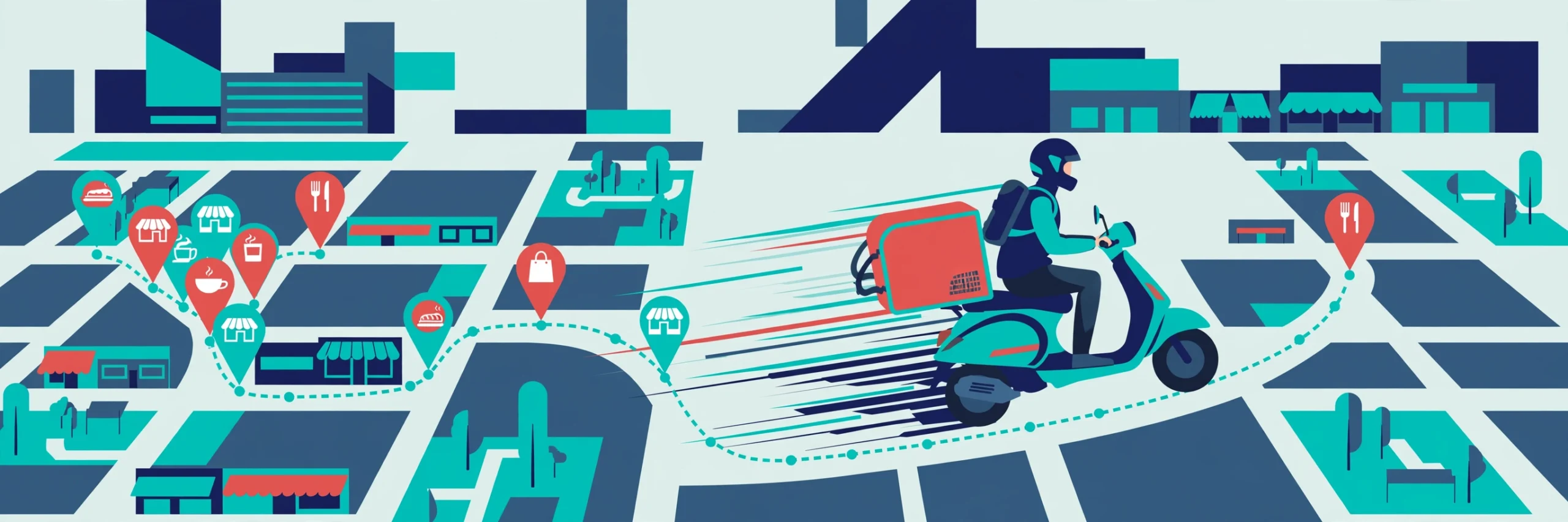
Shadowfax Tracking: From 30-Minute Deliveries to Multi-Day Parcels
Shadowfax is a last-mile logistics company that lives in two worlds. In one, it powers on-demand deliveries — food, groceries, and quick-commerce orders where you watch a rider move across a map in real time. In the other, it handles ordinary e-commerce parcels that travel through hubs over several days like any other courier shipment. Tracking works completely differently in each world, and most confusion comes from expecting one experience while getting the other. This guide to Shadowfax tracking covers both.
The company’s official site is shadowfax.in, and its dedicated tracking page is at track.shadowfax.in — though for most quick-commerce orders you will never need it, because the live Shadowfax tracking lives inside the app where you placed the order.
Two Different Animals: Instant Orders vs E-Commerce Parcels
Before tracking anything, identify which kind of Shadowfax shipment you have:
- On-demand / quick-commerce orders (food, grocery, instant delivery): placed through a merchant or delivery app, fulfilled within minutes to hours. Tracking is a live map showing the rider’s position, and the whole journey is measured in minutes. You track inside the ordering app, not on the Shadowfax website.
- E-commerce parcels (online shopping orders assigned to Shadowfax): shipped by a seller, moving through pickup, hubs, and last-mile delivery over 2–5 days. Tracking is a scan-based timeline — pickup, in transit, out for delivery, delivered — checked with a tracking ID on the official tracker or the merchant’s order page.
If your “live tracking” shows a timeline instead of a map, you have a parcel, not an instant order — adjust your expectations from minutes to days. If your parcel tracking shows nothing but the merchant app shows a rider nearby, you are probably looking at an on-demand fulfilment — use the app.
Live Rider Tracking: What “Rider Assigned” Really Means
On quick-commerce and food orders, the tracking stages tell a precise operational story. Here is what each one actually means:
- Order confirmed / preparing: The merchant has your order. No rider exists yet — the kitchen or store is getting your items ready. Delays here are the merchant’s, not the rider’s.
- Rider assigned: A delivery partner has accepted your order and is typically finishing a nearby drop or travelling to the store. This does not mean the rider is at the store — the pickup itself can take 10–20 minutes depending on distance and the rider’s current task.
- Picked up / on the way: The rider has your order and is travelling to you. This is when the live map becomes meaningful — the ETA shown here is the honest one.
- Arriving / delivered: The rider is at your location. Keep your phone reachable; riders on tight schedules cannot wait long, and a missed handover sends the order back into a re-attempt loop.
The map is a genuine GPS feed, but read it with sense: a rider shown two streets away may be completing another drop first, and ETAs recalculate with traffic. The most useful thing you can do during live tracking is simple — be reachable and be ready at the door when the rider is close.
Realistic Time Windows: Set Your Expectations Right
Shadowfax does not publish one universal delivery promise, because the promise belongs to the merchant or the service type. But these are the realistic bands:
- Quick-commerce (groceries, essentials): typically 10–30 minutes in serviceable zones. If the app promised 15 minutes and 40 have passed, something is genuinely off — check the rider status in the app.
- Food delivery: typically 30–60 minutes from order, dominated by restaurant preparation time. A long “preparing” stage is the restaurant, not the logistics.
- Hyperlocal / same-day: intra-city courier tasks usually complete within a few hours, same day.
- E-commerce parcels: 2–5 days depending on distance, moving through the standard pickup → hub → last-mile chain. Treat these exactly like any courier parcel — the timeline view, not the map, is your tracking tool.
Rain, peak meal hours, and festival demand stretch every one of these bands. A delay during a downpour is not a tracking failure — it is physics. Judge a delay against the band above, not against the fastest delivery you have ever received.
When Shadowfax Tracking Goes Quiet or Disappears
Shadowfax tracking can go quiet mid-order, which feels alarming but is usually benign. The common causes: the app was backgrounded and lost the feed (reopen it), the phone lost data connectivity (the feed resumes when it reconnects), or the order moved to a stage the app renders differently. Refresh the order screen before assuming the worst.
For e-commerce parcels, a quiet tracker has different causes. The merchant’s dispatch message can go out before Shadowfax physically collects the parcel — so “shipped” with no scans for a day is normal. Marketplace order pages sometimes lag the carrier’s own feed; if the merchant page is stale, try the tracking ID directly on the official Shadowfax tracking page. And remember the basic discipline that applies to every courier: copy the full tracking ID exactly, since Shadowfax identifiers vary — commonly seen formats start with SF and mix letters and digits, but you should always use the exact value from your dispatch notice rather than guessing a pattern.
Our Speed Post tracking guide covers the equivalent quiet-tracker discipline for postal parcels, and the package tracker page lists multi-carrier options when one carrier’s page is unhelpful.
Tracking a Shadowfax Parcel from a Marketplace Order
When Shadowfax delivers your online shopping order, the merchant is your primary tracking interface:
- Start at the order page. Open the app or website where you placed the order, go to your orders, and select the shipment. Most merchants mirror Shadowfax scan events into the order timeline — current status, transit history, and expected delivery date.
- Use the tracking ID on the official tracker for detail. The dispatch SMS, email, or order page gives you the Shadowfax tracking ID. Enter it at track.shadowfax.in for the carrier’s own event history, which is sometimes fresher than the merchant’s mirror.
- Know the difference between the tracking ID and the order number. The marketplace order number identifies your purchase; the Shadowfax tracking ID identifies the parcel’s journey. If one does not work on a third-party tracker, try the other on the official page.
- Escalate through the merchant. You have no booking relationship with Shadowfax — the seller does. Delayed, damaged, or missing parcels go to the seller or the marketplace’s support channel, with the tracking ID and the scan history as your evidence.
For a directory of other couriers you might be comparing against, see our all-courier tracking hub.
Frequently Asked Questions
How does Shadowfax tracking work for my order?
For quick-commerce and food orders, track inside the app where you placed the order — the live rider map is there. For e-commerce parcels, use the tracking ID from your dispatch message on the official tracker at track.shadowfax.in (linked from shadowfax.in), or check the order page on the merchant’s app or website.
What does a Shadowfax tracking ID look like?
Formats vary by merchant and service. Commonly seen identifiers begin with “SF” followed by digits and sometimes a trailing letter (for example, SF2964097734F), but other alphanumeric patterns exist. Always copy the exact value from your dispatch notice — do not guess or reformat it.
What does “rider assigned” mean, and how long until my order arrives?
It means a delivery partner has accepted your order and is on the way to the store or finishing a nearby task — not that they are at the store yet. Pickup typically takes another 10–20 minutes, and the ETA becomes reliable once the status changes to picked up / on the way.
Why did my Shadowfax tracking stop updating?
Usually the app lost its feed — reopen the order screen to refresh it — or the phone briefly lost data connectivity. If the map stays frozen while the order is still active, check whether the status itself advanced (for example, to “delivered”); a frozen map with an advanced status just means the feed dropped after the important event.
My Shadowfax tracking shows a delayed parcel — who do I contact?
For marketplace orders, contact the seller or the marketplace’s support channel — they hold the booking relationship with Shadowfax. For on-demand orders, use the help or support option inside the ordering app. In both cases, have your tracking ID or order number ready.